22
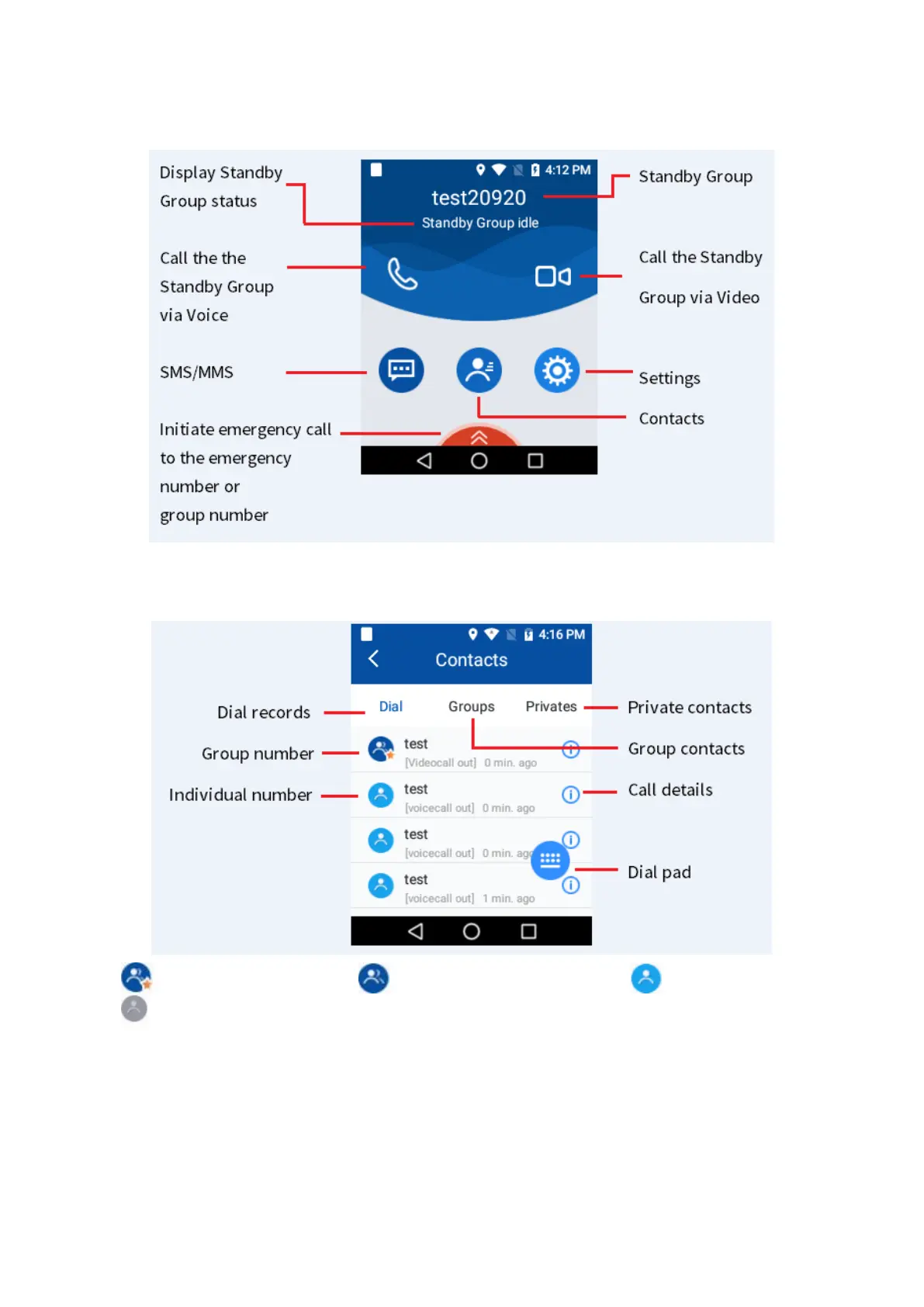
7.1.2 Understanding the Main Interface
7.1.3 Understanding the Contacts Interface
stands for standby group, stands for non-standby group, stands for online user,
stands for offline user.
The MPTT does not support adding, modifying or deleting the dial records, private contacts and
group contacts in the
Contacts.
The private contacts and group contacts are managed via the NMS.
The NMS pushes information of updated private contacts and group contacts to the MPTT.
From the group contacts and private contacts, click a group number or private number to view the
group call details (including group number, group type, call /video call/SMS/MMS shortcut, call level



 To Next Page