Need help?
Do you have a question about the Hyundai Telecom HAC-200 and is the answer not in the manual?
Warns about uninsulated dangerous voltage and refers servicing to qualified personnel.
Details FCC rules for Class B digital devices and interference prevention.
Covers reading instructions, cleaning, attachments, and avoiding environmental hazards.
Guides on proper unit installation, location selection, and ensuring adequate ventilation.
Addresses power sources, overloading, grounding, and servicing by qualified personnel.
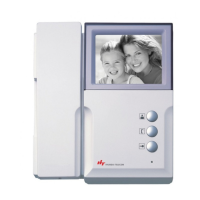
Identifies buttons, screen, speaker, and power LED on the main unit's front.
Locates power switch, AC cord, and terminal connections on the unit's sides/bottom.
Displays dimensions and front views of optional camera models (HCB/HCC-300, 500).
Explains the buttons and operation of the optional HVM-200B/C Image Memory unit.
Lists all components provided in the product packaging, including handset and cables.
Shows different optional camera models (HCB/HCC-300, 500, 600) with their front views.
Provides detailed instructions for mounting the main unit and connecting essential wiring.
Offers guidance on selecting optimal installation sites, avoiding environmental issues.
Advises on wire types, diagram adherence, and total wire length for system performance.
Illustrates wiring for single/multiple main units with one camera and optional image memory.
Shows wiring setups for systems with image memory and multiple main units.
Details specific wiring connections for the HCB/HCC-500 pinhole camera.
Explains the function of each button for monitoring, intercom, and door release.
Guides on how to adjust brightness and volume settings using the handset.
Instructs users on responding to visitors, talking, and using the intercom feature.
Provides solutions for typical problems like power loss, volume issues, or poor picture.
Lists detailed technical specs for the main unit, including voltage, power, and dimensions.
Outlines technical details for the HCB/HCC-300 camera, including power and illumination.
Provides technical specifications for HCB/HCC-500 (Pinhole) and HCB/HCC-600 (Multi) cameras.
Details the terms and conditions of the product's one-year return-to-base warranty.
 General
| Brand | Hyundai Telecom |
|---|---|
| Model | HAC-200 |
| Category | Intercom System |
| Language | English |


 To Next Page