31
Function Setup
ENGLISH
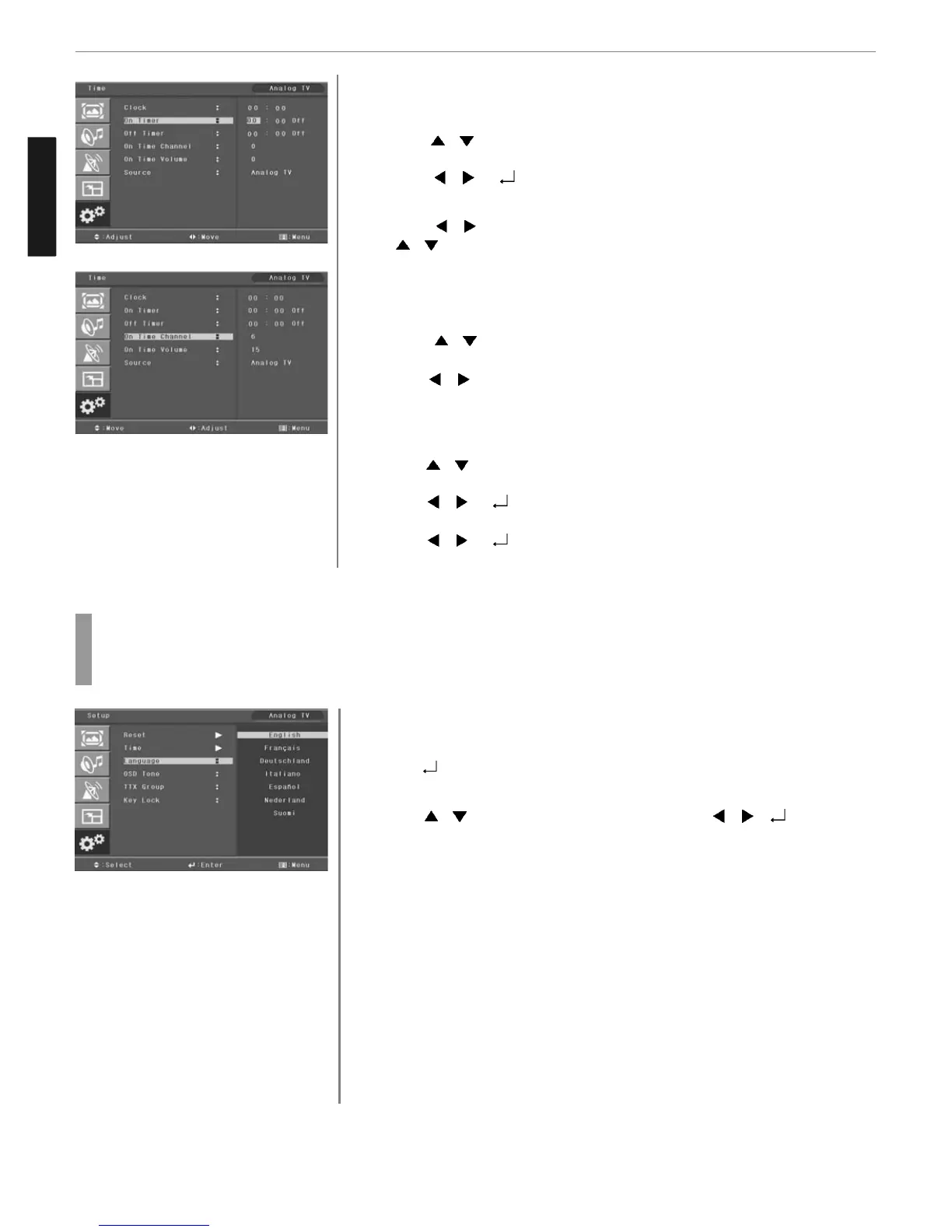
Choosing the Your Languages
Using the TV for the first time, users must select their preferred language preference in order to
display main menus and sub menus, etc.
Press MENU button.
Menu items appear on the screen.
Press
button to select “SET UP” Icon.
“RESET” is highlighted.
Press
/ button to move to Language and press / or button to
select to Language .
➛ ENGLISH ➛ FRANÇAIS➛ DEUTSCHLAND ➛ ITALIANO ➛ ESPAÑOL
➛ NEDERLAND ➛ SUOMI ➛
Press EXIT button to TV viewing or press MENU button to return to the previous
menu.
1
3
4
2
Go to step 6 if you need to set the “ON or OFF TIME”.
Press
/ buttons to move to “ON or OFF TIME”.
Press
/ or buttons to select “ON or OFF TIME”.
Press
/ buttons to move between Hour, Minute and on/off and Press
/ buttons to set Hour, Minute and on/off
go to step 9 if you need to set the “ON TIME CHAMEL” or “ON TIME VOLUM”
Press / buttons to move to on time channel or Volume.
Press
/ buttons to adjust on time channel or Volume.
go to step 11 if you need to set the “SOURCE”
Press
/ buttons to move to “SOURCE”
Press
/ or buttons to select to “SOURCE”
Press
/ or buttons to set to “SOURCE”
6
7
8
10
11
12
13
9



 To Next Page