ITALIANO
40
DTV Channel Setup
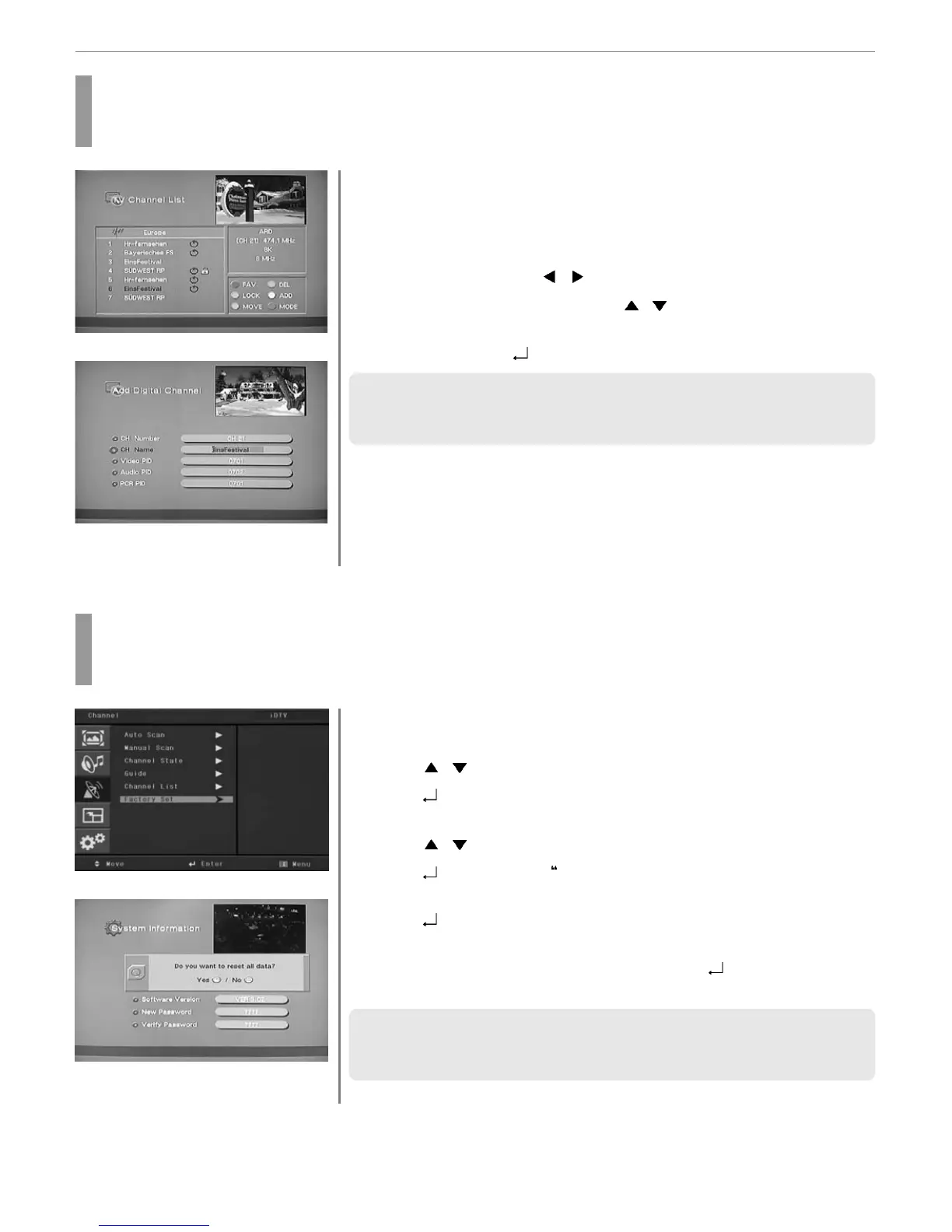
How to Add Channel
Users add channels they want.
Press CH. LIST button.
Channel list menu appears on the screen.
Press WHITE buttons.
The Add Digital Channel window will appear.
Select the channels with
/ buttons or numeric keys.
Select required option by pressing the
/ buttons, then Press numeric
keys to enter the proper value.
Press MENU, EXIT or
button to finish the process.
✓ The above mentioned VIDEO PID, AUDIO PID, PCR PID are very important for
optimal terrestrial signal reception. We recommend you to get professional advices
where available. You can’t setup “VIDEO PID” for RADIO channels.
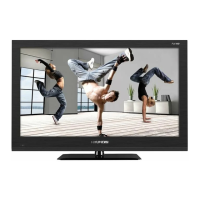
How to Factory Set
The status of the Digital-TV will return to factory default parameters by using this function.
Press MENU button.
Menu items appear on the screen.
Press
/ Buttons to move to “DTV CHANNEL” icon.
Press
button to select “DTV CHANNEL” Icon.
“AUTO SCAN” is highlighted.
Press
/ Buttons to move to “FACTORY SET”.
Press
buttons to select FACTORY SET”
“Factory Set” is highlighted.
Press
button to select “Factory Set”.
A window will appear, asking you to confirm.
When the menu asks you to confirm the reset, press
if you want to reset or
press EXIT key if you want to void the reset.
✓ When you forgot your new password, please consult the shop where you bought
the TV or the nearest dealer.
✓ After choosing Factory Set, reset the power.
1
3
4
5
2
1
3
4
5
6
7
2


 To Next Page