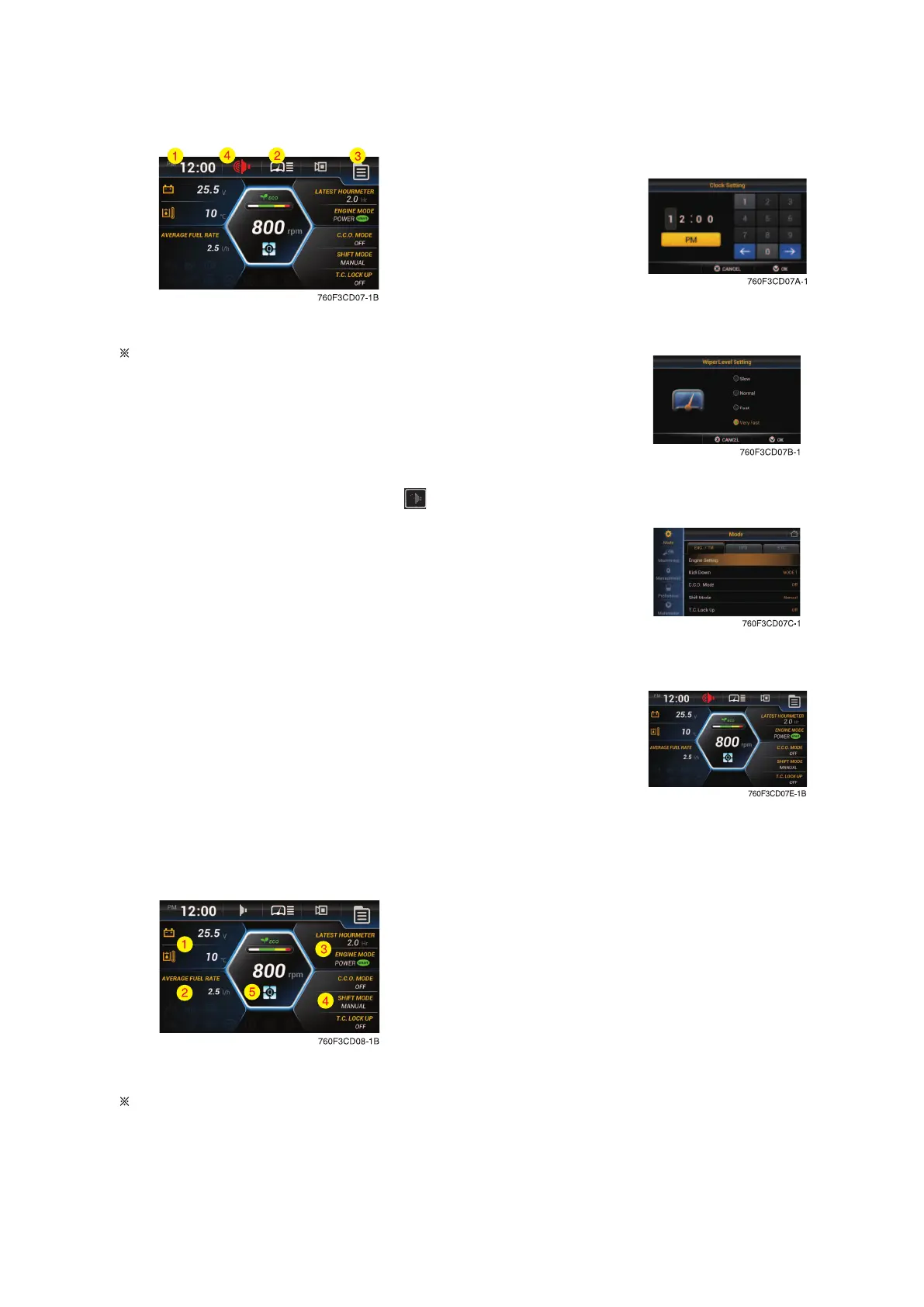
(1) Menu bar
In main display, you can move to the right side
menu by touching each icon.
Clock setting
Set the time (hour, minute and AM or PM)
Wiper speed
Set the wiper speed (slow, normal, fast and very fast)
Menu
Move to the main menu.
Buzzer stop
If you want to stop the buzzer sound, touch the
icon.
Clock setting
Wiper speed
Menu
Buzzer stop
(2) Change display information
In main display, you can check the data and set-
up what you want by touching each window area
or icon.
3-16


 To Next Page