EasyManua.ls Logo

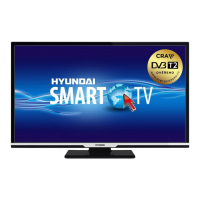
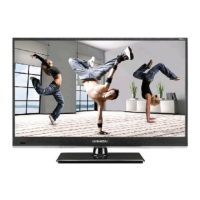
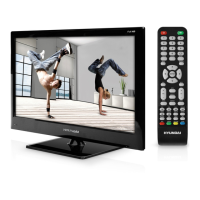
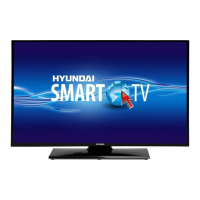
Hyundai HLR28TS372SMART - User Manual

Hyundai HLR28TS372SMART
151 pages
Go to English
Print Icon
To Next Page IconTo Next Page
Loading...
HLR28TS372SMART
Návod k použití
Használatı utasítás
Licensed by Hyundai Corporation, Korea
Imported by ETA a.s., náměstí Práce 2523, 760 01 Zlín, CZ
Návod na použitie
Instrukcja obsługi
Instruction Manual

Table of Contents

Question and Answer IconNeed help?

Do you have a question about the Hyundai HLR28TS372SMART and is the answer not in the manual?

Summary

Safety Information

Markings on the Product

Explains symbols used on the product for safety precautions and restrictions.

Environmental Information

Features

TV Control Switch & Operation

Operation with the Remote Control

Guide to using the TV's remote control for various functions.

Input Selection

Instructions on how to switch between different input sources.

Using Main TV Menu

Inserting the Batteries into the Remote

Power Connection

Antenna Connection

License Notification

Disposal Information

Specification

Remote Control

MY BUTTON 1

Instructions for assigning custom functions to a specific button.

Connections

Switching On;Off

First Time Installation

Media Playback via USB Input

Media Browser

CEC

System Audio Control

E-Manual

Settings Menu Contents

Picture Menu Contents

Settings related to image display and quality.

Advanced Settings

Detailed picture adjustments and enhancements.

Sound Menu Contents

Volume

Controls audio level.

Equalizer

Adjusts audio frequencies.

Sound Mode

Selects audio output presets.

Network Menu Contents

Installation Menu Contents

System Menu Contents

Language

Sets TV display language.

Privacy Settings

Manages app privacy preferences.

Parental

Sets up parental controls and PINs.

Accessibility

TV options for users with disabilities.

Virtual Remote

CEC Auto Power On

Speakers

General TV Operation

Using the Channel List

How to view, manage, and filter channels.

Managing the Favourite Lists

Creating and managing personalized channel lists.

Configuring Parental Settings

Setting up parental controls and PINs for restricted content.

Electronic Programme Guide

Timeline Schedule

Layout for viewing program schedules by time.

Event Options

Managing timers and viewing details for TV events.

Teletext Services

Software Upgrade

Troubleshooting & Tips

Remote control - no operation

PC Input Typical Display Modes

AV and HDMI Signal Compatibility

Supported File Formats for USB Mode

Subtitle File Formats

Supported DVI Resolutions

Connectivity

Wired Connectivity

Steps to connect the TV to a network using an Ethernet cable.

Internet Speed Test

Utility to check the speed of the internet connection.

Advanced Settings

Manual configuration of network IP and DNS settings.

Wireless Connectivity (optional)

Instructions for connecting the TV to a Wi-Fi network.

Wake ON (optional)

Connectivity Troubleshooting

Using Audio Video Sharing Network Service

DVB functionality information

Apps

Internet Browser

HBBTV System

Product Fiche

VESA WALL MOUNT MEASUREMENTS

Declarations

Hyundai HLR28TS372SMART Specifications

General IconGeneral
Screen Size28 inches
Display TypeLED
Resolution1366 x 768
Smart TVYes
HDMI Ports2
USB Ports2
Refresh Rate60 Hz
Aspect Ratio16:9
Brightness200 cd/m²
Contrast Ratio3000:1
VGA Port1
Headphone Jack1
Power Consumption45W
Viewing Angle178°
Smart TV FeaturesWeb Browser
Wall MountableYes
Audio Output2 x 8W

Related product manuals