EasyManua.ls Logo

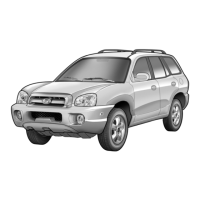
Hyundai Santa Fe - User Manual

Hyundai Santa Fe
682 pages
Print Icon
To Next Page IconTo Next Page
Loading...
OWNER'S MANUAL
Operation
Maintenance
Specifications
All information in this Owner's Manual is current at the time of publica-
tion. However, HYUNDAI reserves the right to make changes at any time
so that our policy of continual product improvement may be carried out.
This manual applies to all models of this vehicle and includes descrip-
tions and explanations of optional as well as standard equipment.
As a result, you may find material in this manual that does not apply to
your specific vehicle.

Table of Contents

Other manuals for Hyundai Santa Fe

Questions and Answers

  • R
    Roger SanchezAug 17, 2025
    What to do if Hyundai Santa Fe disc does not play or skips?
    • J
      Jacob CarpenterAug 17, 2025
      If your Hyundai Automobile's disc player is skipping, not playing, or making noise, here are a few things to check: * Make sure the disc is inserted correctly, with the printed side facing up. * Inspect the disc for scratches or bends; if present, try cleaning the disc. * Ensure there is no moisture on the disc; if there is, dry it completely.
  • A
    Alicia ThompsonAug 19, 2025
    How to fix Hyundai Automobile when the power does not turn on?
    • A
      Anthony TrujilloAug 20, 2025
      If your Hyundai Automobile's power doesn't turn on, it could be due to a lead wire or connector that is not properly connected. In this case, it is best to contact your nearest SERVICE CENTER.
  • A
    Alexander YoungAug 22, 2025
    Why is the screen not displayed in my Hyundai Santa Fe Automobile?
    • G
      ginabrownAug 22, 2025
      If the screen in your Hyundai Automobile is not displaying anything, the monitor might be turned off. Try turning the monitor back on.
  • H
    Haley MillerAug 25, 2025
    Why is the path guide different from the actual path on my Hyundai Car Navigation system?
    • S
      Shawn DavilaAug 26, 2025
      The path guide on your Hyundai Car Navigation system can differ from the actual path when the road is closely parallel. This is due to map matching or the absence of map matching.
  • E
    eroyAug 27, 2025
    Why is there no sound in my Hyundai Santa Fe Automobile?
    • B
      Brent BaileyAug 28, 2025
      If there's no sound in your Hyundai Automobile, first, try increasing the volume. Also, make sure the speaker lines are properly connected. Finally, verify that the mute function is not enabled.
  • R
    ramseynatashaAug 30, 2025
    What to do if disc cannot be inserted into Hyundai Automobile?
    • B
      bruce27Aug 30, 2025
      If you're having trouble inserting a disc into your Hyundai Automobile, it might be because another disc is already inside. Eject the current disc and then try inserting the new one. Alternatively, there could be foreign substances blocking the disc slot. Remove any obstructions before attempting to insert a disc.
  • N
    Nicole GallegosSep 2, 2025
    How to fix Hyundai Santa Fe when button does not operate and the screen is not properly displayed?
    • A
      awoodsSep 2, 2025
      If the buttons on your Hyundai Automobile aren't working and the screen isn't displaying correctly, it could be due to the microprocessor malfunctioning from noise or other issues. Try rebooting the device, or turn the ignition off and then on again.
  • E
    Edward BoltonSep 5, 2025
    Why is the screen too dark on my Hyundai Santa Fe Automobile?
    • J
      Joshua RosalesSep 5, 2025
      If the screen on your Hyundai Automobile is too dark, it might be because the product temperature is too low. Try re-operating the device at normal temperatures.
  • A
    Amanda MorrisSep 7, 2025
    Why can't I hear the voice guide on my Hyundai Car Navigation system?
    • I
      ingramnicoleSep 7, 2025
      If you cannot hear the voice guide on your Hyundai Car Navigation system, the volume may be set incorrectly or turned off. Adjust the volume of voice guidance. Also, this can happen when there is an adjacent road when turning, when the splitting road angle is very small, or when driving on a road that is narrowing fast.
  • E
    Edward AllenSep 12, 2025
    What to do if my Hyundai Car Navigation system cannot see the map?
    • C
      Claire GardnerSep 12, 2025
      If your Hyundai Car Navigation system cannot display the map, it could be due to damaged data within the memory. Please reset all settings related to navigation. Also, ensure the product is connected to a power source and that your vehicle is in a location where the sky can be seen well. If there are high buildings or if you are under a tree, move to a location where there are no obstacles.

Summary

Your vehicle at a glance

Exterior overview (I)

Front view. Lists components of the exterior of the vehicle.

Interior overview

Overview of interior components and controls within the vehicle.

Instrument panel overview

Detailed view of the instrument panel and its controls.

Safety system of your vehicle

Important safety precautions

Essential guidelines for safe operation and occupant protection.

Seats

Details on adjusting front, 2nd row, and 3rd row seats for safety and comfort.

Seat belts

Guidelines for proper seat belt usage and safety precautions.

Child restraint system (CRS)

Information on selecting, installing, and using child restraint systems.

Air bag - supplemental restraint system

Explanation of how the SRS airbag system operates and its components.

Convenient features of your vehicle

Accessing your vehicle

Using the remote key for locking, unlocking, and starting the engine.

Smart key

Operation and precautions for using the smart key system.

Windows

Operation of power windows, including auto up/down and lock functions.

Exterior features

Instructions on opening and closing the bonnet and tailgate.

Driving your vehicle

Before driving

Ensuring windows, mirrors, lights are clean and unobstructed; checking tyres and for leaks.

Braking system

Details on power brakes, disc brakes wear indicator, and parking brake.

Electronic Stability Control (ESC) Indicator Light

Details on ESC operation and indicator lights.

Forward collision-avoidance assist (FCA) system - sensor fusion type

How FCA detects vehicles and applies emergency braking.

Blind-spot collision warning (BCW); Blind-spot Collision-Avoidance Assist (BCA)

System description, setting, and operation of BCW and BCA.

Lane keeping assist (LKA) system (if equipped)

How the LKA system detects lane markers and assists steering.

Smart cruise control with stop & go system (if equipped)

Operation and settings for the Smart Cruise Control system.

Trailer towing

Important tips and safety rules for towing trailers.

Reducing the risk of a rollover

Steps to take to reduce the risk of vehicle rollover.

What to do in an emergency

If you have a flat tyre whilst driving

Instructions on how to safely slow down and pull over if a tyre goes flat.

IF THE ENGINE WILL NOT START

Troubleshooting steps if the engine does not turn over or turns over slowly.

Jump starting

Procedure and safety precautions for jump starting a vehicle.

Tyre pressure monitoring system (TPMS)

Information on the TPMS malfunction indicator and low tyre pressure telltales.

Changing a tyre with TPMS

Instructions for changing a tyre with TPMS, including precautions.

Maintenance

Engine compartment

Identification and checks for engine coolant, brake fluid, washer fluid, and parking brake.

Engine oil and filter

Explanation of engine oil and filter checks and replacement intervals.

Tyres and wheels

Information on tyre care, inflation pressures, rotation, alignment, and replacement.

FUSES

Explanation of vehicle electrical system protection by fuses and how to replace them.

Instrument panel fuse replacement

Step-by-step instructions for replacing fuses in the instrument panel fuse panel.

Specifications & Consumer information

Dimensions

Vehicle dimensions including length, width, height, and tread.

Engine

Specifications for Petrol and Diesel engines, including displacement, bore/stroke, firing order, and cylinder count.

Recommended lubricants and capacities

Table of recommended engine oil, transmission fluid, and coolant types and capacities.

Vehicle identification number (VIN)

Location and purpose of the vehicle identification number (VIN).

Tyre specification and pressure label

Location of the tyre label showing recommended pressures and specifications.

Hyundai Santa Fe Specifications

General IconGeneral
BrandHyundai
ModelSanta Fe
CategoryAutomobile
LanguageEnglish

Videos

How to Set Up HomeLink in Your 2025 Hyundai Santa Fe

How to Locate and Change the Spare Tire of Hyundai Santa Fe 2024

How to Master the Hyundai Santa Fe 2019 4WD System

How to Open Hyundai Santa Fe Hood

How to Program a New Key for Your Hyundai Santa Fe

How to turn off child lock on a Hyundai Santa Fe

Related product manuals