EasyManua.ls Logo

i-box Dawn FS-018 - User Manual

i-box Dawn FS-018
13 pages
Print Icon
To Next Page IconTo Next Page
Loading...
Alarm clock with Wireless Charging with Bluetooth
FS-018
Question and Answer IconNeed help?

Do you have a question about the i-box Dawn FS-018 and is the answer not in the manual?

Overview

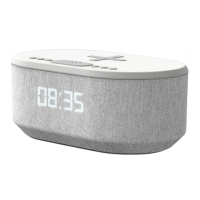
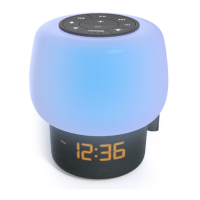
The i-box Dawn is an alarm clock with wireless charging and Bluetooth capabilities, designed to be a stylish and functional bedside companion. It combines a traditional alarm clock radio with modern features, allowing users to charge their smartphones wirelessly while they sleep.

Function Description:

The i-box Dawn serves multiple functions:

  • Alarm Clock: It features two independent alarms (AL1 and AL2) with options for a beep or FM radio as the alarm source. Users can set the time in either 12-hour or 24-hour format.
  • FM Radio: The device includes an FM radio with the ability to store up to 10 preset stations, making it easy to access favorite broadcasts.
  • Bluetooth Speaker: It can connect wirelessly to smartphones or other Bluetooth-enabled devices to play audio.
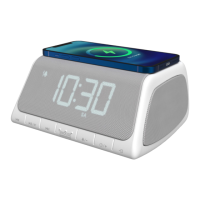
  • Wireless Charging: A primary feature is the wireless charging pad located on the top surface, allowing compatible smartphones to be charged by simply placing them on the device.
  • USB Charging Port: In addition to wireless charging, it offers a USB charging port on the back for wired charging of other devices.
  • Sleep Mode: This feature allows users to fall asleep to music (Bluetooth or FM radio) for a set duration, after which the music automatically turns off. Sleep timer options range from 5 to 120 minutes.
  • Dimmer Function: The display brightness can be adjusted to suit user preference, with multiple brightness levels available.

Important Technical Specifications:

  • Power Input: 5V 3.5A
  • USB Output: 1A
  • Speaker Output: 6 Watt RMS
  • Battery Backup: Requires 2x AAA batteries (not included) to retain time and alarm settings during power cuts or when unplugged.
  • Wireless Charging Compatibility: Designed for devices compatible with wireless charging standards. Charging efficiency may vary based on phone placement and model.
  • Bluetooth Version: Not explicitly stated, but supports standard Bluetooth connectivity.
  • FM Radio Presets: 10 memory slots for FM stations.

Usage Features:

  • Setting the Clock: Users can set the time by pressing and holding the Clock Key (7) for 1-2 seconds, then using the Previous song/Down button (2) and Next song/Up button (4) to adjust hours and minutes, and the Clock Key (7) to confirm.
  • Setting Alarms: Alarms are set by pressing and holding the Alarm set button (6) for 3 seconds, then using the navigation buttons (2, 4) and Alarm set button (6) to configure alarm time and source (beep or FM).
  • Enabling/Disabling Alarms: Alarms can be cycled through AL1, AL2, AL1 and AL2, or off by pressing the Alarm set button (6) in standby mode.
  • Snooze Function: When an alarm sounds, pressing the Snooze button (5) delays the alarm for 9 minutes. The alarm can be turned off by pressing the Alarm set button (6).
  • Dimmer Control: The display brightness is adjusted by pressing the Snooze button (5).
  • Bluetooth Connection: To connect, press the Function key (8) to enter Bluetooth mode. The display will flash while searching. Select "i-box Dawn" from the device's Bluetooth list. A beep confirms successful pairing. To disconnect, press the Play/Pause button (3) for 3 seconds.
  • Bluetooth Playback: Volume is controlled by the Volume +/- buttons (6, 7). Track navigation uses the Previous song/Down button (2) and Next song/Up button (4). Play/Pause is controlled by the Play/Pause button (3).
  • FM Radio Operation: Enter FM radio mode by pressing the Function key (8). Stations can be changed manually using buttons (2, 4) or automatically searched by pressing and holding buttons (2, 4). Volume is adjusted with buttons (6, 7).
  • FM Radio Memory: To store a station, select it, then press the Play/Pause button (3) to enter the preset menu. Use buttons (2, 4) to choose a preset slot and press Play/Pause (3) to save. To access stored presets, press Play/Pause (3) and then use buttons (2, 4) to select.
  • Sleep Mode Activation: In FM radio or Bluetooth mode, press and hold the Snooze button (5) for 2 seconds to activate sleep mode. Press Snooze (5) repeatedly to cycle through sleep timer options.
  • Wireless Charging: Place a compatible smartphone centrally on the charging location (1) on top of the device. The wireless charging indicator (19) will light up. For optimal charging, ensure the phone is aligned with the center of the charging area.
  • USB Charging: Connect a device via a USB cable to the USB charging port (9) on the back.
  • Backup Batteries: Install 2x AAA batteries in the backup battery door (13) to preserve settings during power interruptions.

Maintenance Features:

  • Cleaning: Use a clean, soft cloth and a mild detergent solution to clean the surface of the unit. Avoid abrasives, benzene, thinner, or other solvents.
  • Safety Precautions:
    • Keep away from flame sources.
    • Do not expose to dripping or splashed fluids.
    • Avoid direct sunlight, extreme temperatures, moisture, vibrations, strong magnetic fields, high frequencies, and dusty environments.
    • Ensure proper ventilation; do not cover ventilation openings.
    • Do not insert wires or other objects into vents.
    • Do not disassemble or modify the unit; there are no user-serviceable parts.
    • If damaged or malfunctioning, consult a qualified service engineer.
  • Wireless Charging Troubleshooting: If charging issues occur, remove the smartphone case if it's thicker than 5mm or made of metal. Ensure the phone is correctly placed on the charging pad. Note that charging time varies, and components may heat up during the process.
  • Charging Method: Do not use both wireless and USB charging simultaneously for the same device to avoid interference.
  • Disposal: Do not dispose of the product with household waste. Hand it over to a collection center for recycling electrical and electronic appliances.

i-box Dawn FS-018 Specifications

General IconGeneral
Brandi-box
ModelDawn FS-018
CategoryAlarm Clock
LanguageEnglish

Related product manuals