EasyManua.ls Logo

i-box 79276PI/14 - User Manual

i-box 79276PI/14
12 pages
Print Icon
To Next Page IconTo Next Page
Loading...
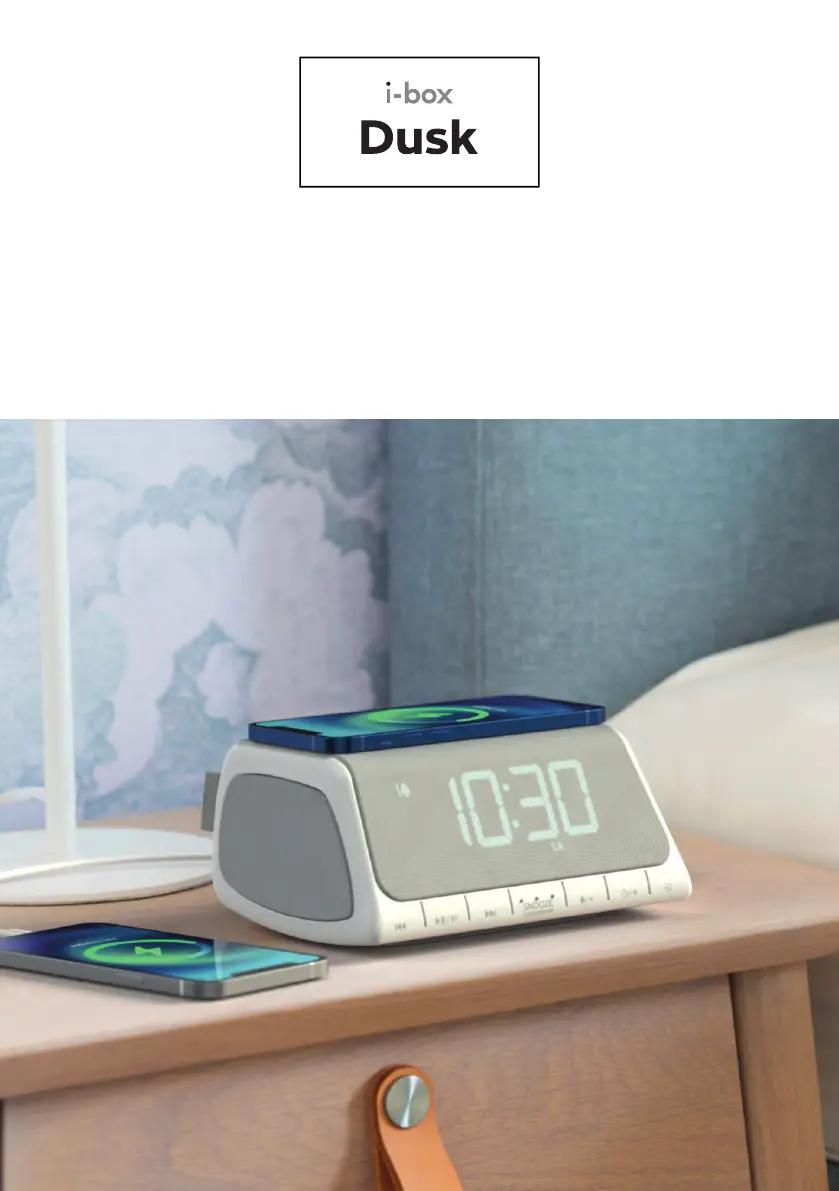
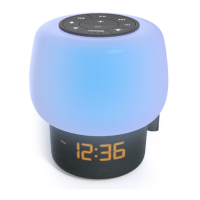
Dusk | 01
Radio Alarm Clock
with Wireless Charging

Questions and Answers

  • K
    Karen HendersonAug 10, 2025
    Why is wireless charging not working on my i-box 79276PI/14 Alarm Clock?
    • D
      Danielle GriffinAug 10, 2025
      If the wireless charging isn't working on your i-box Alarm Clock, make sure your smartphone is centered on the charging pad, although some phones may need to be placed slightly off-center. Also, remove your smartphone from its case if it's thicker than 5mm or contains metal. Note that charging time varies and the components may heat up during charging.
  • A
    Angela HodgesAug 16, 2025
    What to do if there is no sound from my i-box Alarm Clock?
    • C
      Calvin AdamsAug 16, 2025
      If there is no sound coming from your i-box Alarm Clock, check the following: * Ensure the volume isn't turned down. * Increase the volume. * Verify the radio is switched on. * Try tuning to another radio station.
  • W
    William StricklandAug 21, 2025
    How to improve radio reception on i-box Alarm Clock?
    • D
      David BonillaAug 21, 2025
      If you're experiencing poor radio reception on your i-box Alarm Clock: * Extend the antenna fully to maximize signal strength. * Adjust the antenna direction to improve the signal. * Move the radio closer to a window. * Ensure the radio isn't near microwaves, fluorescent lights, or other equipment that may cause interference.
  • S
    Steven DayAug 28, 2025
    What to do if my i-box Alarm Clock does not turn on?
    • T
      Tammy BrownAug 28, 2025
      If your i-box Alarm Clock doesn't turn on, verify the power supply connections and ensure the mains socket is switched on.
  • M
    marissaandrewsSep 2, 2025
    Why don't time and alarm settings reset on my i-box 79276PI/14 Alarm Clock after a power cut?
    • D
      David JacobsSep 2, 2025
      If the time and alarm settings on your i-box Alarm Clock don't reset after a power cut, it could be due to the absence of a backup battery. Insert a CR2025 battery. If a backup battery is already installed, ensure it is correctly fitted according to the diagram.

Summary

Caring for Your Radio Alarm Clock

Device Controls and Features Overview

Operating the Dusk Using the i-box Connect App

Downloading and Installing the App

Instructions for downloading and installing the i-box Connect mobile application on iOS and Android devices.

Powering Your Radio Alarm Clock

Battery Backup Installation

Explains the installation and function of the CR2025 backup battery for retaining settings.

Wireless Connection Mode

Wireless Pairing Mode

Guide on how to pair Bluetooth devices with the i-box Dusk, including visual indicators.

Setting the Clock and Calendar

Standby Mode and Mode Selection

Alarm Setting Procedures

Alarm Time Setting

Procedure for setting the hour and minute for the alarm.

Alarm Frequency Selection

How to select days for the alarm to sound (daily, weekday, weekend).

Stopping and Snoozing the Alarm

FM Radio Mode Operations

Wireless Playback Mode

White Noise and Natural Soundtrack Mode

Sleep Timer Mode

Wireless Charging Functionality

Product Specifications

Troubleshooting Common Issues

i-box 79276PI/14 Specifications

General IconGeneral
Brandi-box
Model79276PI/14
CategoryAlarm Clock
LanguageEnglish

Related product manuals