13
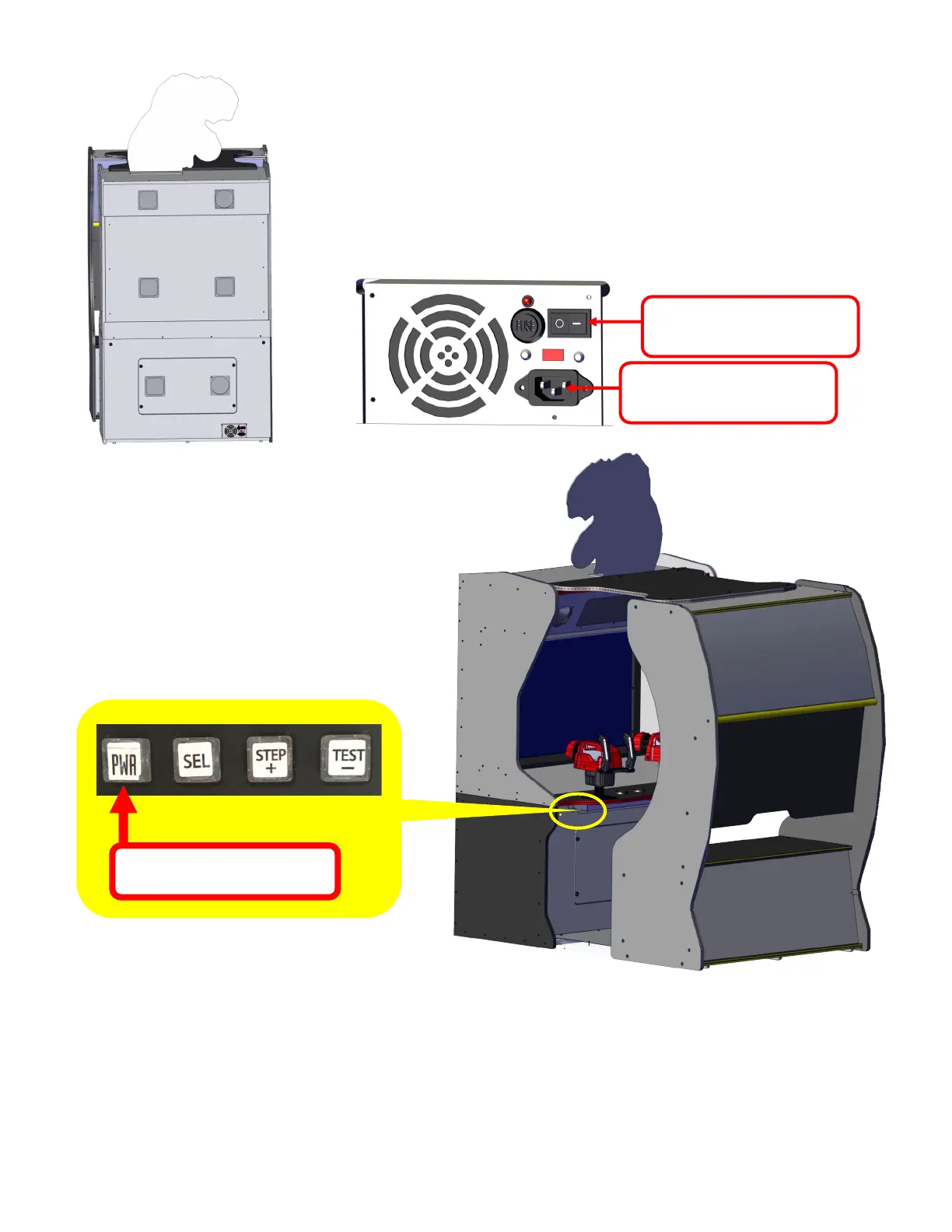
Press and Hold for 3 seconds
How to Enter Programming
In the attract mode (not in game mode) press
and hold the PWR button for 3 seconds to
enter the program options.
Navigating the menu and changing values
Press the “STEP +” and “TEST -” buttons to scroll through the menus.
Press the “SEL” button to enter the desired menu.
Press the “STEP +” and “TEST -” buttons to change the option selected.
Press the “PWR” button to save any changes.
AC Power plug
You will need to plug in the AC power cord once you have the game
setup. The AC cord plugs into the power supply located at the rear of
the game and at the bottom.
Make sure the AC power switch is set to - and not o.
AC CORD GOES HERE
Switch must be on “-”



 To Next Page