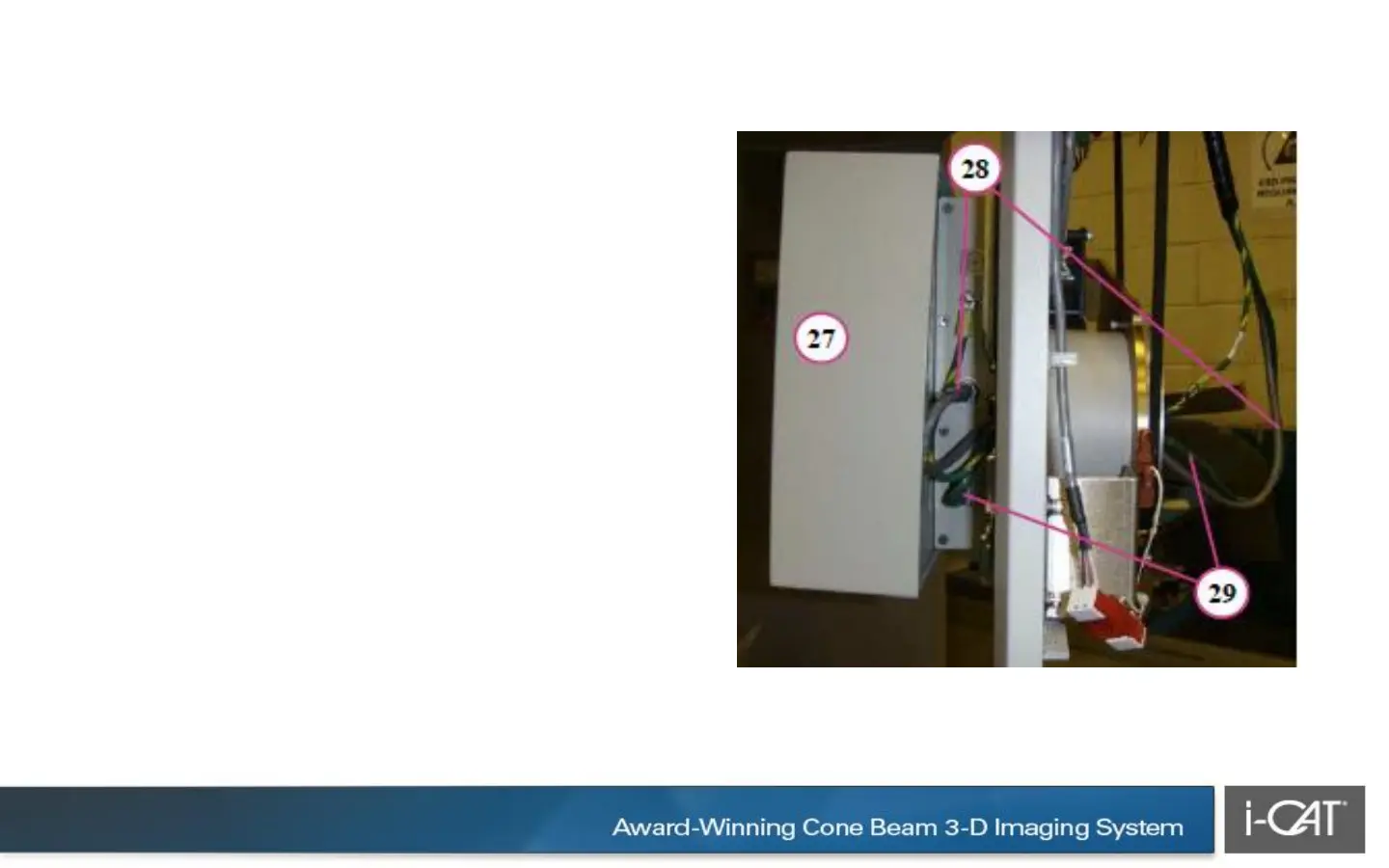
27. Unlatch panel cover by pulling cover
forward slightly, then swinging cover
outward to remove.
28. Feed LEMO connector through hub
and plug into panel. Rotate red dot on
connector to the 3 o’clock position. Slide
connector into receptor until it snaps in
place.
29. Feed green network connector
through the hub and plug connector into
panel.


 To Next Page
 Loading...

