Need help?
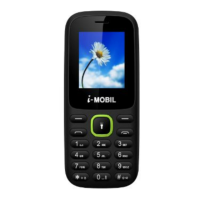
Do you have a question about the i-MOBIL iM19 and is the answer not in the manual?
Follow rules for driving, aircraft, medical, and hazardous environments.
Handle battery properly, keep small parts from children, use original accessories.
Understand safe mobile phone usage within various environments.
Precautions for using mobile phones near medical devices like pacemakers and hearing aids.
Instructions for making emergency calls and providing essential information.
Steps to insert the SIM card into the designated slot correctly.
Procedure for correctly inserting the battery and replacing the back cover.
How to turn on the mobile phone using the power supply key.
How to turn off the mobile phone using the power supply key.
Instructions for making overseas, extension, and emergency calls.
How to answer or reject incoming calls, including during lock screen.
Features available during a call like hold, mute, volume, and hand-free.
How to view, search, and manage contact entries.
Operations like writing messages, calling, deleting, copying, and importing/exporting contacts.
Taking pictures and video clips with the phone's camera.
Playing music files, managing playlists, and using equalizer settings.
Recording dynamic pictures in the capture interface.
Playing video files in supported formats and managing local lists.
Scanning, saving, and playing FM radio channels with background play.
Recording audio clips and managing recorded files.
Managing files in the memory card using the file manager.
Writing, sending, and managing SMS messages.
Handling received, sent, draft messages, templates, and voicemail.
Setting alarms and managing calendar events.
Managing schedules, viewing world times, and setting local/illocal times.
Performing calculations and using the memo for notes and records.
Reading TXT format e-books stored on the memory card.
Starting, pairing, sending, and receiving data via Bluetooth.
Using the torch light and accessing main system configuration options.
Configuring call diversion for all calls, busy, unanswered, or no coverage.
Managing call waiting notifications and limiting outgoing/incoming calls.
Hiding caller ID and adjusting other call-related preferences.
Customizing time, date, language, shortcuts, and power settings.
Adjusting wallpaper, brightness, keypad lock, and backlight.
Managing PIN, PUK codes, phone lock, and privacy passwords.
Managing internet accounts, data connections, and network selection.
Configuring preset and custom sound profiles for different modes.
Using the phone as a USB storage device with a computer.
Tips for preserving the phone's life, avoiding damage, and cleaning.
Guidelines for using the phone in different temperature and environmental conditions.
Turn off phone in gas stations, near fuel, or during bombing work for safety.
Maintain distance from pacemakers, hearing aids, and other medical equipment.
Recommendations for safe mobile phone use while driving.
Steps for making emergency calls and providing information at the accident site.
Setting power-on passwords and understanding PIN/PUK codes for SIM security.
Unlocking SIM with PUK/PUK2 codes and consequences of incorrect entries.
Proper procedures and precautions for charging the mobile phone battery.
Tips for optimizing battery life and usage based on network and settings.
Precautions against battery damage, short-circuiting, and proper disposal methods.
Guidelines for using and removing accessories, and keeping them dry.
Advice on turning off the phone when not in use and avoiding loud volumes.
Device compliance with FCC rules and measures to correct interference.
Information on the phone's SAR limits and body-worn operation requirements.
 General
| Brand | i-MOBIL |
|---|---|
| Model | iM19 |
| Category | Cell Phone |
| Language | English |

 To Next Page