EasyManua.ls Logo

i-SENS KetoSens - User Manual

i-SENS KetoSens
50 pages
Print Icon
To Next Page IconTo Next Page
Loading...
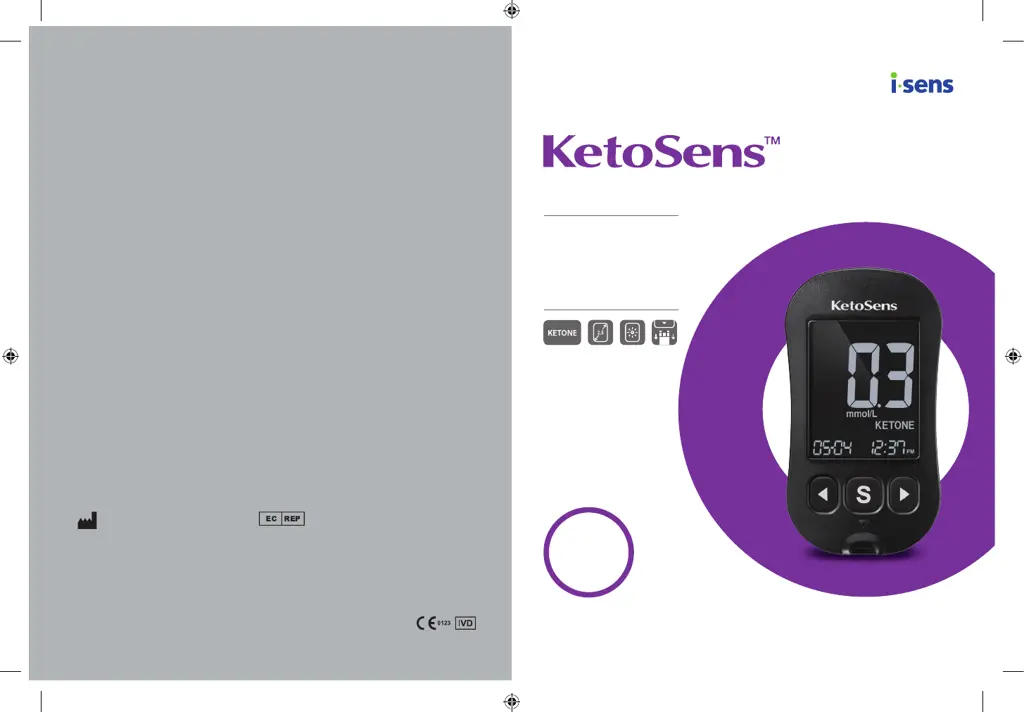
KETONE
Blood β-Ketone Monitoring System
User Manual
β-Ketone Measurement
2.5’’ Large, Backlit Display
Strip Ejector for Easy
Ejection of Used Test Strips
© 2022 i-SENS, Inc. All Rights Reserved PKTAA-0000008 REV0 2022-11
i-SENS, Inc.
43, Banpo-daero 28-gil,
Seocho-gu, Seoul 06646, Korea
www.i-sens.com
Medical Technology Promedt
Consulting GmbH
Altenhofstrasse 80
66386 St. Ingbert, Germany

Other manuals for i-SENS KetoSens

Questions and Answers

  • B
    Brianna HughesAug 18, 2025
    How to fix a blank display on my i-SENS Blood Pressure Monitor?
    • F
      floresmaryAug 18, 2025
      If the display of your i-SENS Blood Pressure Monitor is blank even after inserting a test strip, try the following: * Ensure the test strip is inserted correctly, with the contact bars facing upwards and fully inserted into the test strip port. * Verify that you are using the correct test strip. * Check that the batteries are inserted correctly, with the + side facing upwards. * If the issue persists, replace the batteries.
  • A
    Angela NealAug 21, 2025
    What to do if the i-SENS KetoSens Blood Pressure Monitor test doesn't start after applying blood?
    • J
      Julie YorkAug 21, 2025
      If your i-SENS Blood Pressure Monitor test does not start even after applying the blood sample, ensure the confirmation window is completely filled. If the issue persists, repeat the test using a new test strip.
  • K
    Kenneth WalkerAug 23, 2025
    Why am I getting an electronic error on my i-SENS KetoSens?
    • J
      Juan LiAug 23, 2025
      If you get an electronic error on your i-SENS Blood Pressure Monitor, try repeating the test with a new test strip. If the error message continues to appear, do not use the meter. Contact your authorised i-SENS sales representative.
  • J
    John DavidsonAug 26, 2025
    What to do if the i-SENS Blood Pressure Monitor test result doesn't match how I feel?
    • A
      Alyssa BrownAug 26, 2025
      If your i-SENS Blood Pressure Monitor test result doesn't match how you feel, repeat the test using a new test strip. Also, check the expiration date of the test strip and perform a control solution test.
  • J
    Julie KingAug 28, 2025
    What to do if the blood sample is not good for i-SENS Blood Pressure Monitor?
    • G
      gomezmichaelAug 28, 2025
      If the blood sample used with your i-SENS Blood Pressure Monitor has abnormally high viscosity or insufficient volume, repeat the test after inserting a new test strip.
  • R
    Ronnie MendozaAug 30, 2025
    What to do if the i-SENS Personal Care Products display is blank?
    • C
      Christopher KellerAug 30, 2025
      If the display is blank even after inserting a test strip, ensure the test strip is inserted with the contact bars facing up and is fully inserted into the test strip port. Verify that you are using the correct test strip and that the batteries are correctly inserted with the + side facing up. If the problem persists, replace the batteries.
  • N
    Nicholas WigginsSep 2, 2025
    What to do if i-SENS Personal Care Products test result does not match the way you feel?
    • S
      shawngutierrezSep 2, 2025
      If the test result does not match how you feel, repeat the test using a new test strip. Also, check the expiration date of the test strip. You can also perform a control solution test.
  • J
    Jennifer BurkeSep 5, 2025
    What to do if an electronic error occurred during the i-SENS Personal Care Products test?
    • M
      Melissa PayneSep 5, 2025
      If an electronic error occurs during the test, repeat the test with a new test strip.
  • R
    ramostimothySep 7, 2025
    What to do if the i-SENS Personal Care Products test does not start?
    • D
      dsmithSep 7, 2025
      If the test does not start even after applying the blood sample to the test strip, check if the confirmation window is completely filled. If not, repeat the test after inserting a new test strip.
  • J
    John GarciaSep 9, 2025
    Why i-SENS Measuring Instruments display is blank?
    • C
      Crystal PollardSep 9, 2025
      If the display is blank after inserting a test strip, several factors could be at play. First, ensure the test strip is correctly inserted with the contact bars facing upwards and that it's fully inserted into the test strip port. Verify that you're using the appropriate test strip. Also, check the batteries to confirm they are inserted correctly, with the + side facing upwards. If issues persist, try replacing the batteries.

Summary

Important Information

Intended Use

Describes the system's purpose and target users for blood beta-ketone monitoring.

Meaning of Symbols

Explains the various symbols and icons used throughout the user manual for clarity.

KetoSens Specifications

Product Specifications

Details the technical specifications of the KetoSens meter, including measurement range and test time.

Operating Ranges

Outlines the recommended temperature and humidity for operating the KetoSens system.

Storage and Transport Conditions

Specifies the environmental conditions for storing and transporting the KetoSens meter and test strips.

KetoSens Monitoring System Components

Inserting or Replacing Batteries

Caring for Your KetoSens System

System Maintenance and Precautions

Details how to clean the meter and lists important precautions for safe and accurate use.

Disposal of the Meter

Explains the recommended procedures for disposing of the KetoSens meter responsibly.

KetoSens Blood Beta-Ketone Test Strip

KetoSens Test Strip Warnings

KetoSens Blood Beta-Ketone Meter Overview

KetoSens Meter Display Guide

Setting Up Your KetoSens System

Adjusting Date and Time Settings

Details how to set the correct date and time on the KetoSens meter for accurate record-keeping.

Setting the Sound On;OFF

Configuring the Strip Expiration Date Indicator

Setting the Strip Expiration Date

Checking System Accuracy with Control Solution

Control Solution Testing Procedure

Comparing Control Solution Test Results

Using the Lancing Device

Preparing the Lancing Device

Preparing Meter and Test Strip

Applying Blood Sample for Testing

Discarding Used Lancets Safely

Understanding Meter Messages

HI and Lo Message Interpretation

Details the meaning of 'HI' and 'Lo' messages and when to contact a healthcare professional.

KetoSens Meter Memory Functions

Viewing Average Test Results

Explains how to access and view the stored average test results for different time periods.

Viewing Stored Test Results

Setting the Alarm Function

Configuring Time Alarms (1-3)

Guides users through setting up to three time-based alarms on the KetoSens meter.

Understanding Error Messages

General Troubleshooting

Performance Characteristics: Accuracy and Precision

Influence Quantities and Interferences

Packed Cell Volume (Hematocrit)

Explains the impact of hematocrit levels on blood beta-ketone measurement accuracy.

Interfering Substances and Concentrations

Lists substances that may interfere with test results and their acceptable concentration levels.

KetoSens Warranty Information

Manufacturers Warranty Terms

Outlines the duration and conditions of the manufacturer's warranty for the KetoSens meter.

Obtaining Warranty Service

Provides instructions on how to request warranty service or repairs for the KetoSens meter.

i-SENS KetoSens Specifications

General IconGeneral
Brandi-SENS
ModelKetoSens
CategoryBlood Pressure Monitor
LanguageEnglish

Related product manuals