EasyManua.ls Logo

I-Tech FI06 - User Manual

I-Tech FI06
48 pages
Print Icon
To Next Page IconTo Next Page
Loading...
ENG
USER’S MANUAL
MNPG314 Rev.0 del 22/05/2020
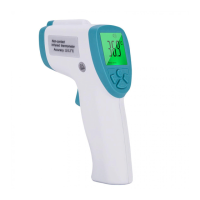
Infrared Forehead Thermometer
FI06
ATTENTION: for correct measurement of the temperature,
the thermometer and the patient must have been at the same
room temperature for 30 minutes. Sweat on the forehead or just
wearing a cap can lead to incorrect measurements!

Questions and Answers

  • D
    David WilliamsAug 9, 2025
    Why does my I-Tech Thermometer LCD display show 'Lo' or 'Hi'?
    • C
      Christopher BarrettAug 9, 2025
      The LCD display on your I-Tech Thermometer might show 'Lo' or 'Hi' due to several reasons. It could be that breeze, water, sweat, or cosmetics on the forehead are affecting the measurement. Also, ensure the measurement distance is 5cm to 8cm. Check the deviation value setting, the defaulted value is 0.8°C. If the thermometer is used directly from a high-temperature object to a very low-temperature one, keep it in a relatively stable environment for 10 minutes to allow it to reach heat balance before taking a new measurement.
  • J
    Jeffrey RiveraAug 17, 2025
    What to do if my I-Tech FI06 has no response when pressing the measurement button?
    • D
      daniellebushAug 17, 2025
      If your I-Tech Thermometer doesn't respond when you press the measurement button, first try taking out and reassembling the battery. Also, check if the thermometer is under menu setup. When the thermometer is in the process of menu setting, it is unable to measure and therefore will not respond.
  • C
    Christopher GarnerAug 26, 2025
    Why does my I-Tech Thermometer shut off right after switching on?
    • W
      wardmichaelAug 26, 2025
      If your I-Tech Thermometer shuts off immediately after being switched on, check the battery level or try taking out and reinstalling the battery.
  • A
    Ariana SmithSep 1, 2025
    How to fix no display or improper display on I-Tech Thermometer?
    • M
      Marvin KellerSep 1, 2025
      To fix a no display or improper display issue on your I-Tech Thermometer, take out the battery and install it again.

Summary

Product Features and Specifications

Technical Parameters

Detailed technical specifications of the device.

Button Operations

Device Settings and Notices

Measurement Procedures

Body Temperature Measurement

Step-by-step guide on how to measure body temperature accurately.

Measurement Distance and Alarms

Recommended distance and alarm indication during body temperature measurement.

Measurement Precautions

Object Temperature Measurement

Object Measurement Guide

Steps and distance for measuring object temperature.

Measurement Range Indicators

Battery Replacement

Battery and Maintenance

Battery Installation and Safety

Steps for installing batteries and safety/disposal guidelines.

Troubleshooting Common Issues

Display Errors and No Response

Solutions for display errors ('Lo'/'Hi') and device unresponsiveness.

Display and Beeper Problems

Troubleshooting steps for no display, improper display, or no beeper.

Troubleshooting Specifics and Warranty

I-Tech FI06 Specifications

General IconGeneral
BrandI-Tech
ModelFI06
CategoryThermometer
LanguageEnglish