IACER SRL MNPG05-07 Ed. 29/03/10 Pag. 39
9. Resolution of problems and questions.
Any type of work on T-ONE must be carried out exclusively by the manufacturer or by an
authorised dealer. In any event, any presumed malfunction of T-ONE must be verified before
sending the device to the manufacturer.
Here below are some typical situations:
T-ONE cannot be turned on:
• Recharge the batteries and try to switch it on again; if it still does not switch on, check that
the power supply socket is working.
• Check that the ON/OFF button has been pressed correctly (held down for at least one second).
T-ONE does not transmit electric impulses:
• Check that the cable jacks have been inserted in the electrodes and that the plastic
protection has been removed from the electrode.
• Check that the cables have been connected correctly (connector well inserted in the device).
T-ONE switches off during operation:
• Recharge the batteries for 8 hours and start the treatment again. If the problem persists
contact the manufacturer.
T-ONE is switched on but nothing appears on the display:
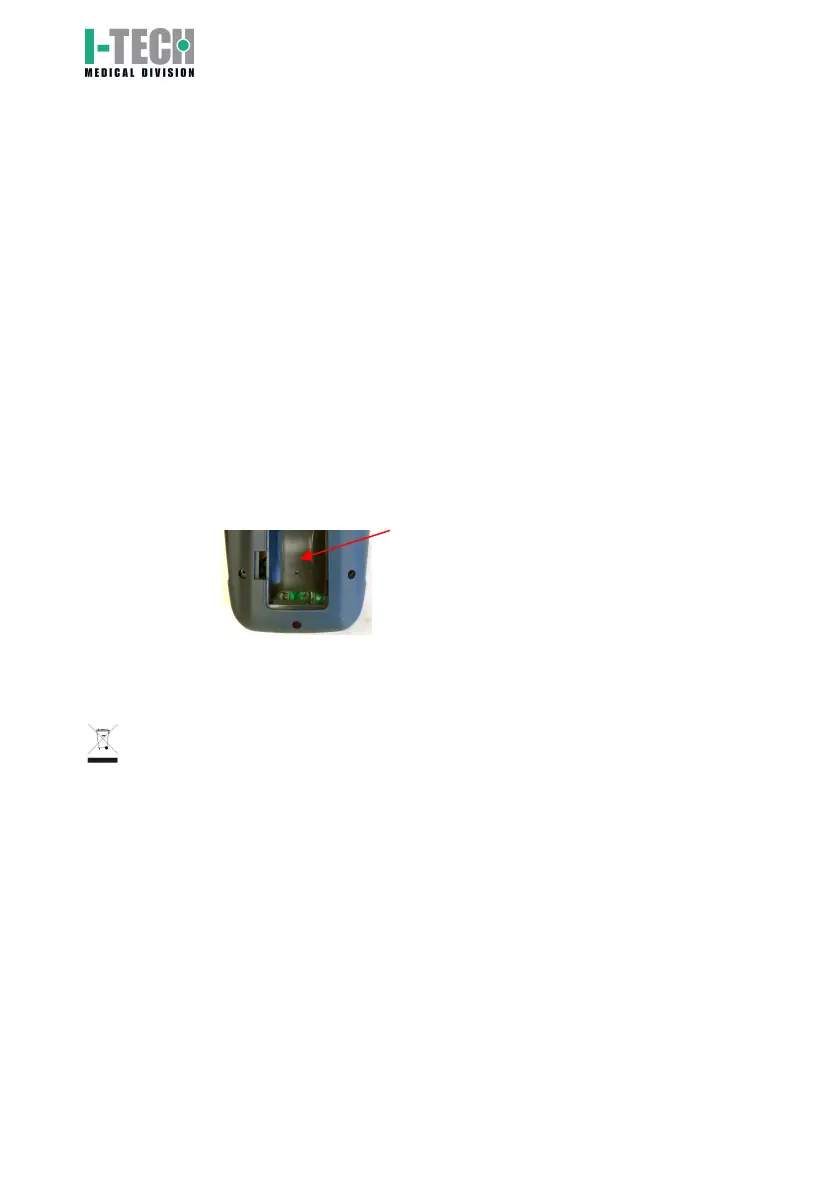
• Open the battery compartment, lift up the battery, disconnect the connection and remove it.
Inside battery compartment you’ll find a little hole with RESET writing above: insert a little tip
and gently press.
Disposal
To protect the environment, the device and its accessories must be disposed of in accordance
with the law in areas equipped for that purpose or as special waste.
Product subject to WEEE regulations concerning separate waste collection: when disposing this
product, please use the designated areas for disposing electronic waste or contact the manufacturer.



 To Next Page