2
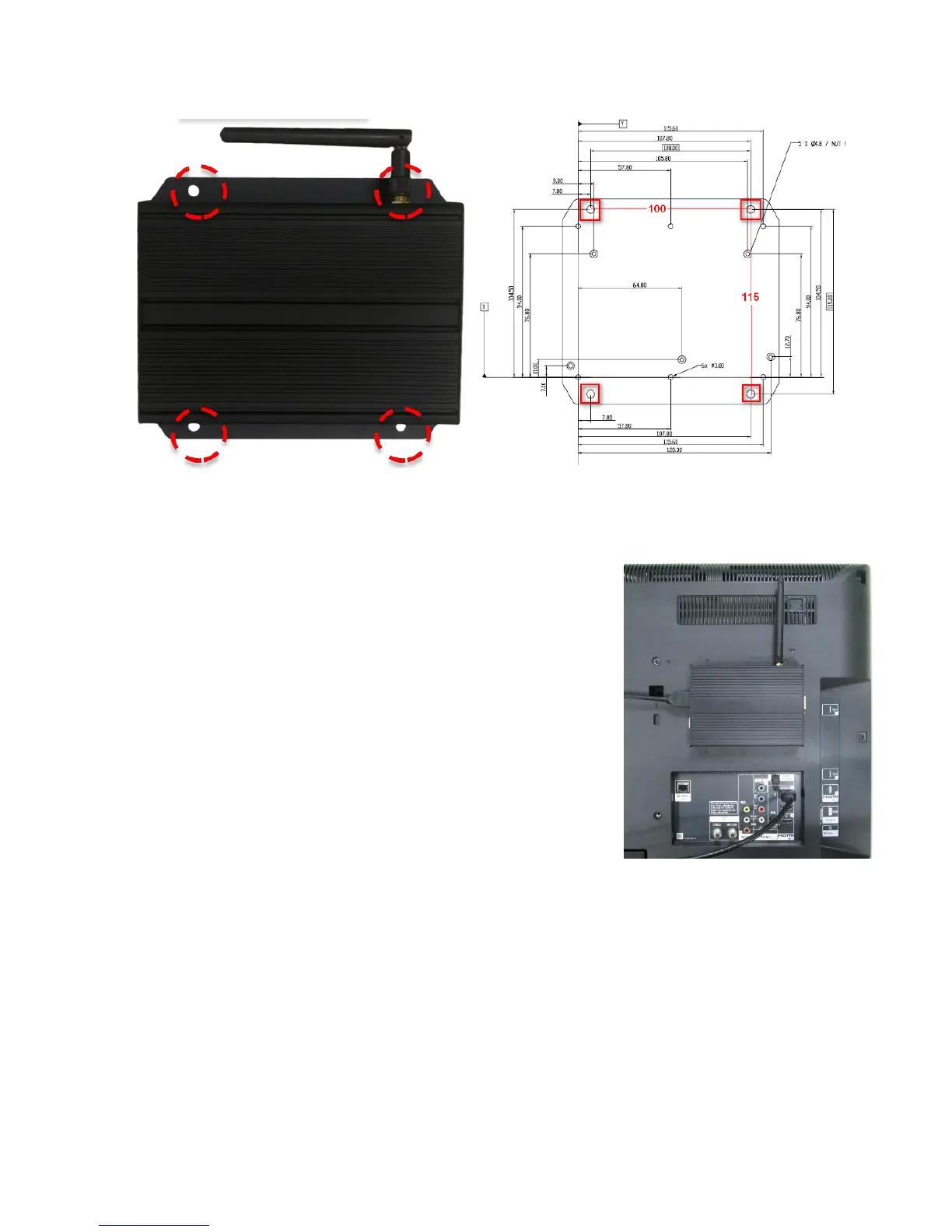
Mounting Option 1: [Wall Mount]
The player has built-in wall mount bracket, screw thread: M4
Mounting Option2: [Attach the player on the back of the monitor
using Velcro]
1. Separate the Velcro pads, and stick on the bottom of player.
2. Stick the other Velcro pad onto the back of monitor, and then attach
the player to it.
3. Use HDMI cable to connect player and the monitor.


 To Next Page