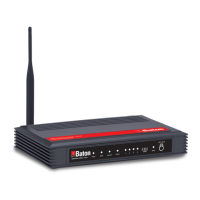
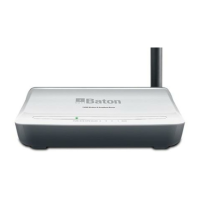
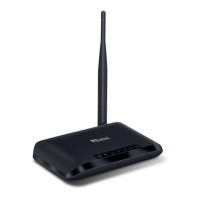
What to do if my wireless client can not access the Internet on iBall Baton Network Router?
K
Karina BryantAug 2, 2025
If your wireless client can't access the Internet, first, try moving the router closer to your client. Then, check the SSID or Encryption settings to ensure they are correct. Verify that the client is connected to the correct Access Point. If these steps don't work, reset the router to its default settings.
J
johnwilsonAug 8, 2025
Why does my wireless connection keep dropping on iBall Baton Network Router?
K
Kevin FrankAug 8, 2025
If your wireless connection keeps dropping, there are several things you can try:
* Adjust the antenna orientations of the router.
* Keep the antenna at least 6 inches away from the wall or other objects.
* Change the channel on both the Router, Access Point and your Wireless adapter to avoid interference.
* Keep the router away from electrical devices that generate RF noise, such as microwaves and monitors.
D
Dale ColeAug 13, 2025
What can I do if my Ethernet connection does not work properly on iBall Baton Network Router?
K
Kevin DavisAug 14, 2025
If your Ethernet connection isn't working correctly, ensure the RJ45 cable is properly connected to the router. Also, verify that your Network Interface Card adapter setting is “Enabled”. If the settings are correct, make sure you are not using a crossover Ethernet cable, as not all Network Interface Cards are MDI/MDIX compatible; a patch cable is recommended. If the connection still fails, reset the router to its default settings.
L
larry79Aug 19, 2025
Something wrong with the wireless connection on iBall Baton Network Router?
C
christopher45Sep 12, 2025
If you are experiencing issues with your wireless connection, ensure the SSID and encryption settings are identical on both the router and the clients. Try moving the router and the wireless client closer to each other to test the connection. Disable any security settings like WEP and MAC Address Control temporarily. Try turning off and restarting both the router and the client device. Check that the LEDs are indicating normal operation and that all power and Ethernet cables are firmly connected. Verify that the IP address, subnet mask, gateway, and DNS settings are correctly entered for the network. Also, be aware that other wireless devices or electrical appliances may cause interference; keep the router away from such devices.
B
Billy WilsonAug 26, 2025
What to do if I forgot my encryption key on iBall Baton Network Router?
K
Karen JonesAug 26, 2025
If you forgot your encryption key, go to the advanced settings to set up your encryption key again. Alternatively, you can reset the router to its default settings.


 To Next Page
 General