- 8 -
Chapter III Interface Instruction of Application Software
3.1 Main Window
1. Double click the shortcut „iBall ClickScan‟ on desktop, or click “Start-All
Programs”- or click “Start” “All Programs” “iBall” iBall ClickScan
to open the application software.
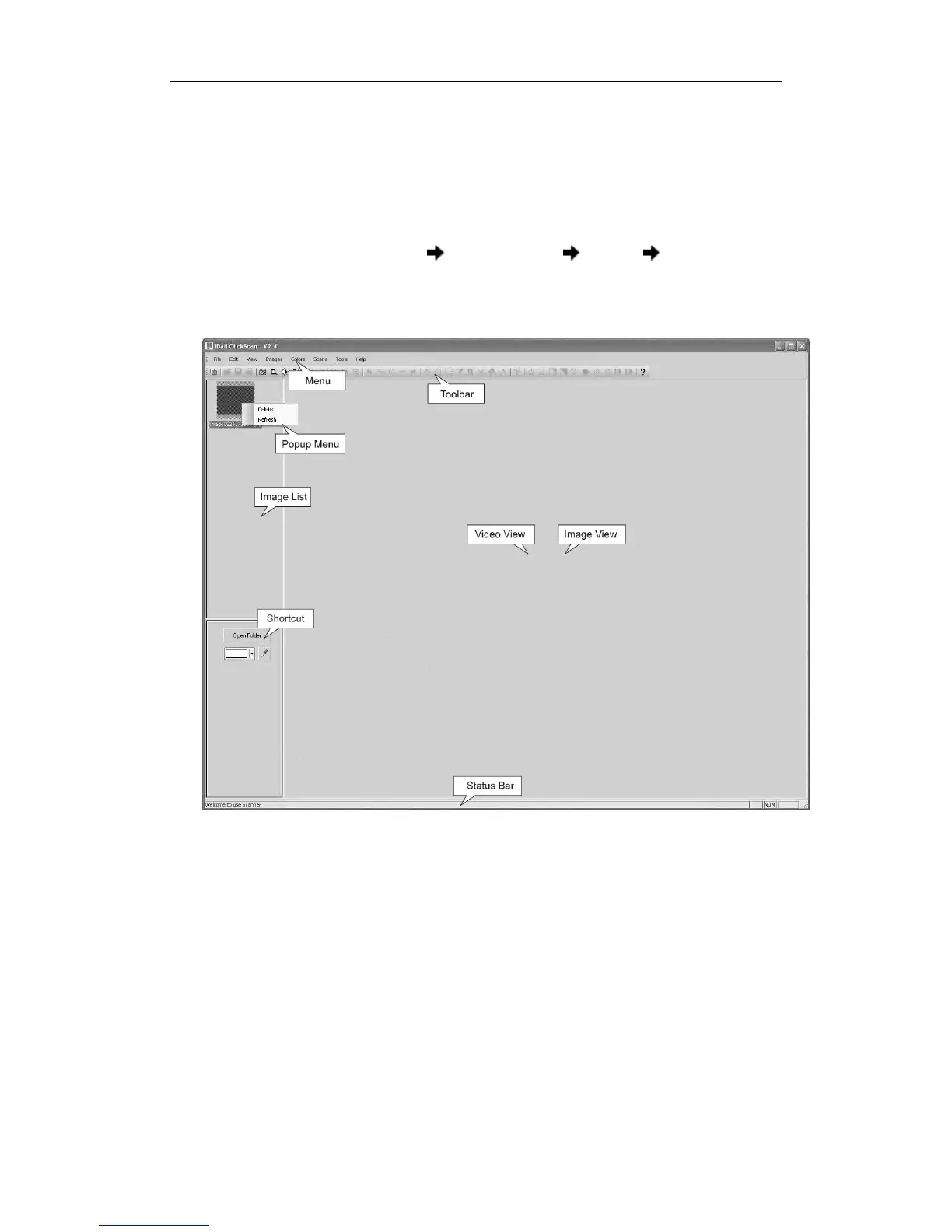
2. Display software interface.
Software interface
It‟s mainly made by several parts, including: menu, toolbar, image list view,
video view and image view, shortcut view, status bar, and popup menu, as the
above diagram.
Menu
All the functions about the software can be found in the menu.
Toolbar
It is the shortcut of menu; user can enhance operational efficiency by using the
icons displayed on the toolbar.


 To Next Page