- 21 -
6. How to create PDF files?
Answer:
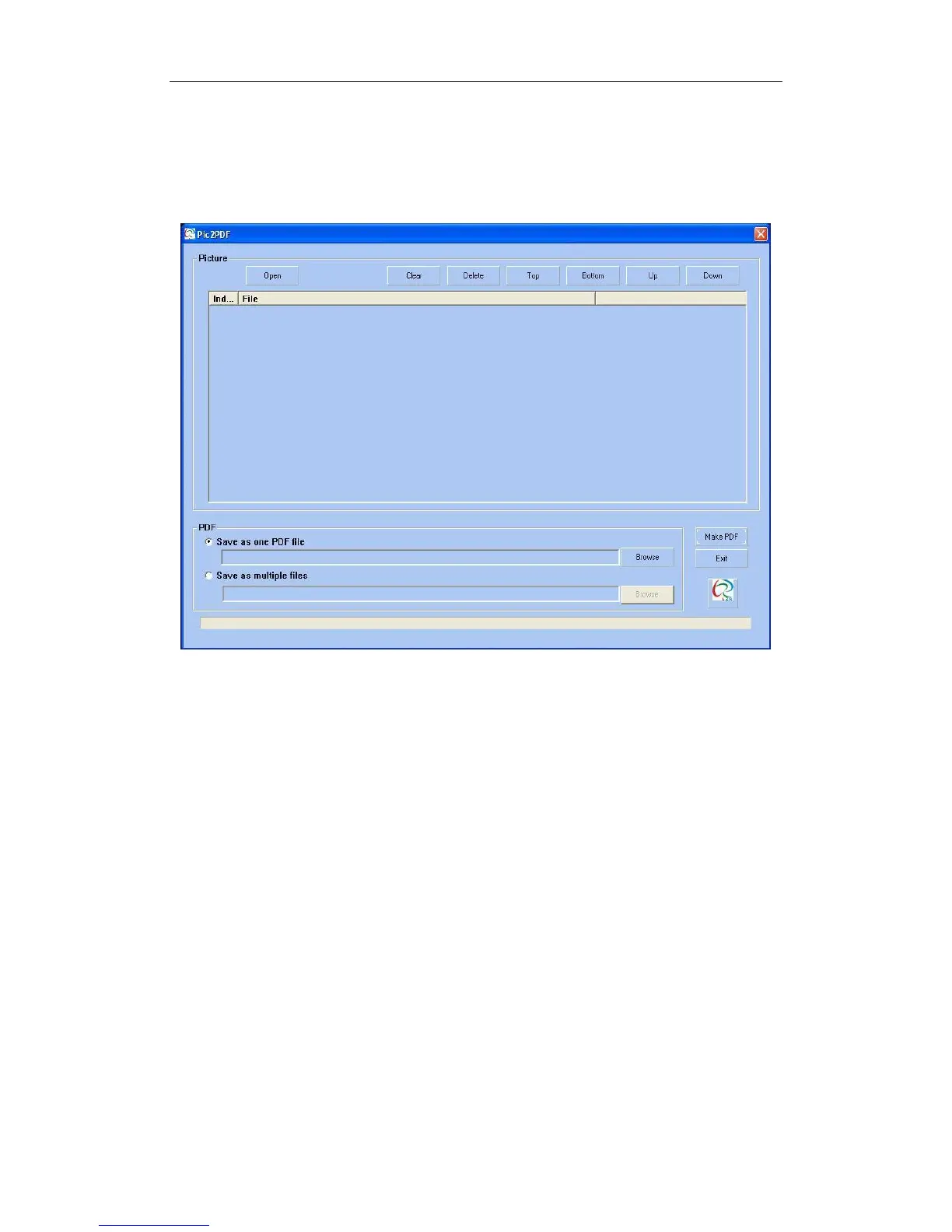
Using Pic2PDF as follows:
You‟d better utilize JPG format to scan because of its high-quality and mini-
memory, this software has been restricted in converting JPG and TIF into PDF
format. For more specific details:
Convert one or more pieces of pictures into correspondent PDF document.
(1) Click “Open”, choose the image files what you need to convert, if they are in
different catalogues, and please open for more times to choose. Image files will
be added to list in order.
(2) If you‟re not satisfied with the sequence, please use other mobile tools to array.
(3) If you want to convert image file into PDF file, you can click “Browse” at the
same column to ensure it. If you want to convert image into independent PDF
document, please click “Browse” at the same level, then choose the path you
want.
(4) Click “Make PDF”.
(5) It shows progress when converting and tips while complete.


 To Next Page