Removing Internal Drives
Removing a Drive from Bank C, D, or E
Notes:
To locate banks C, D, and E, see the illustration given
under “Removing Internal Drives” on page 241.
You do not have to turn off the server to remove a drive
from banks C, D, and E.
Hot-swap drives have two lights on the front of the tray that
contains the drive. If the drive has a good electrical connection
upon installation, the green light illuminates.
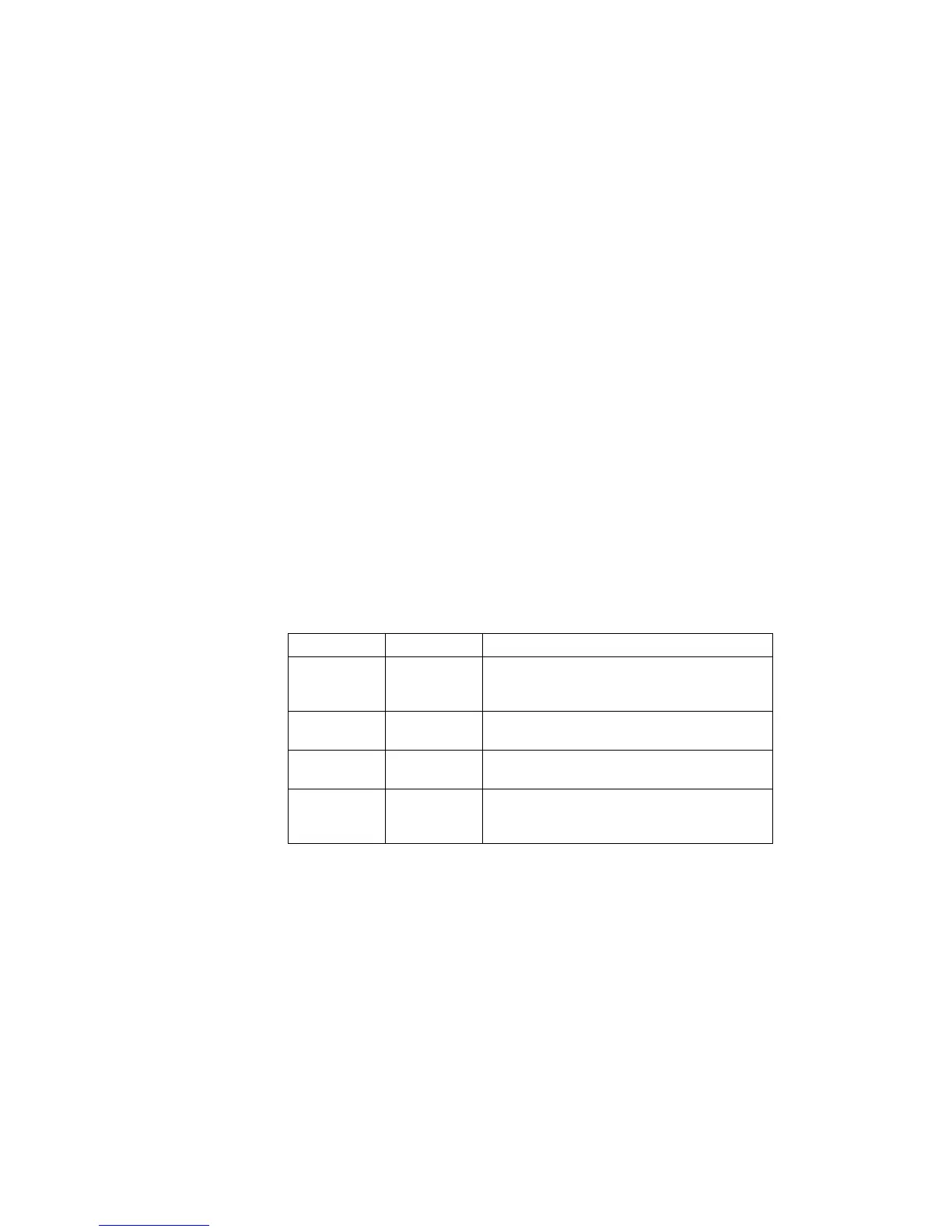
The following table summarizes the LED states and their meanings.
Attention: Before you hot-swap a drive, make sure it is defective.
If you partially or completely remove a good drive instead of a
defective one, your server might lose valuable data.
Thoroughly review the information that appears on your server
display to determine the location of the failed drive.
If you partially or completely remove a good drive instead of the
defective one, your server might lose valuable data. This situation
is especially relevant if you assigned RAID level 1 or 5 to the logical
drives in your disk array. However, the RAID controller can
rebuild the data that you need, provided that certain conditions are
met. See Chapter 3, “Configuring the Disk Array” on page 77 for
further details.
Green Amber Description
On Off Drive tray is powered on; the hard disk drive
is inactive; and the drive should not be
removed.
Blinking Off The hard disk drive is inactive. The hot-swap
drive can be removed safely.
On On or
Blinking
The hard disk drive is in use, and should not
be removed.
Off Off The drive is defective, or no power is being
supplied to the drive. The hot-swap drive can
be removed safely.
Chapter 5. Installing Options 245








 To Next Page