Changing Jumper Settings
Changing Jumper Settings
The system board and the system-board jumper settings for your
model appear on a label inside your server. These values are preset.
If you need to change them, follow the instructions given in “How
to Set Jumpers.” You will see the label when you remove the cover.
(To remove the cover, go to “Preparing to Install Options” on
page 163.)
You might also need to change jumper settings on other devices,
including adapters and backplanes. Refer to the documentation that
comes with the devices for specific information about the
appropriate jumper settings.
How to Set Jumpers
A jumper covers pins on a pin block and might be positioned to the
left or to the right. The jumper setting depends on which pins are
covered. For example, on the three-pin administrator password
jumper, you cover the left and center pins to set the change state.
Jumper positions are indicated on the system board with the jumper
location identifier (for example, “J1”) and the “0” or “1” symbol.
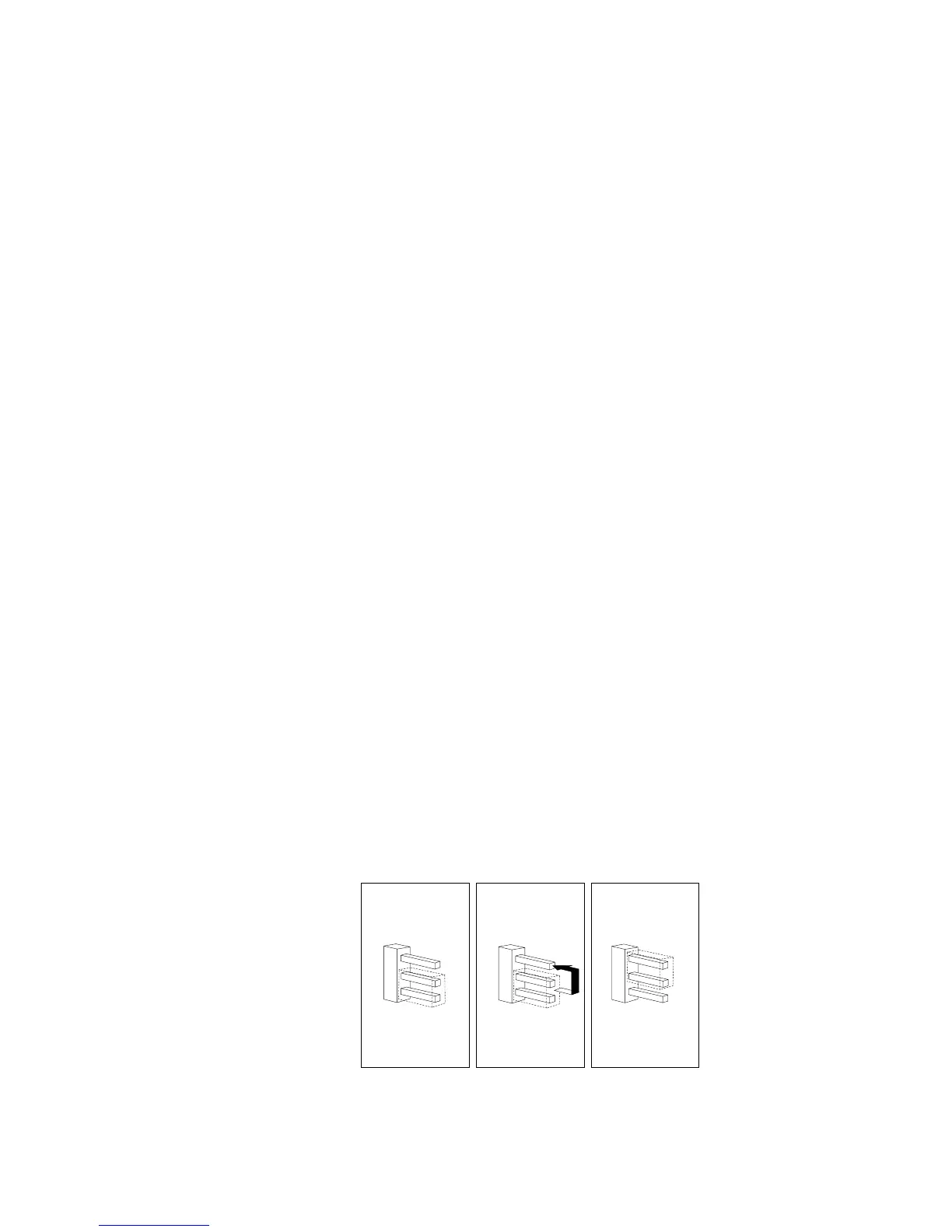
The following illustration shows a jumper on a pin block being
moved from position 0 to position 1. The orientation and labels for
the jumpers on your system board might be different from those
shown here.
JMP2
JMP2
JMP2
0
0
0
1
1
1
Chapter 5. Installing Options 249








 To Next Page