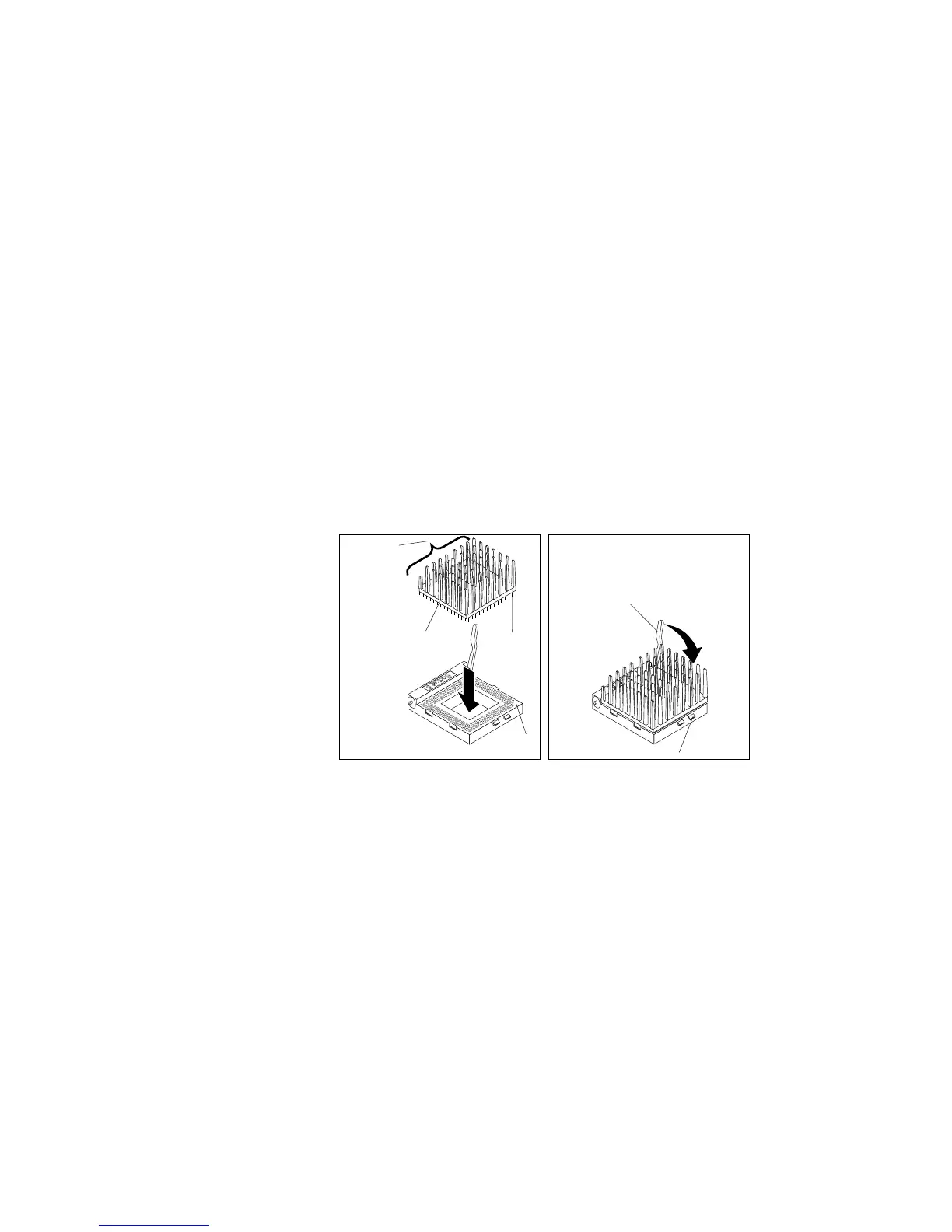
Installing a Microprocessor
5. Center the microprocessor over the socket.
6. Carefully put the microprocessor into place. Ensure that the
pins on the microprocessor align with the holes in the socket.
Attention: Do not force the pins into the socket. If you feel
any resistance, remove the microprocessor and check the
orientation and alignment.
Socket 5
Latch
Flange
Microprocessor
Heat sink
Notch
Notch
Socket 5
Chapter 5. Installing Options 257








 To Next Page