Starting ServerGuide
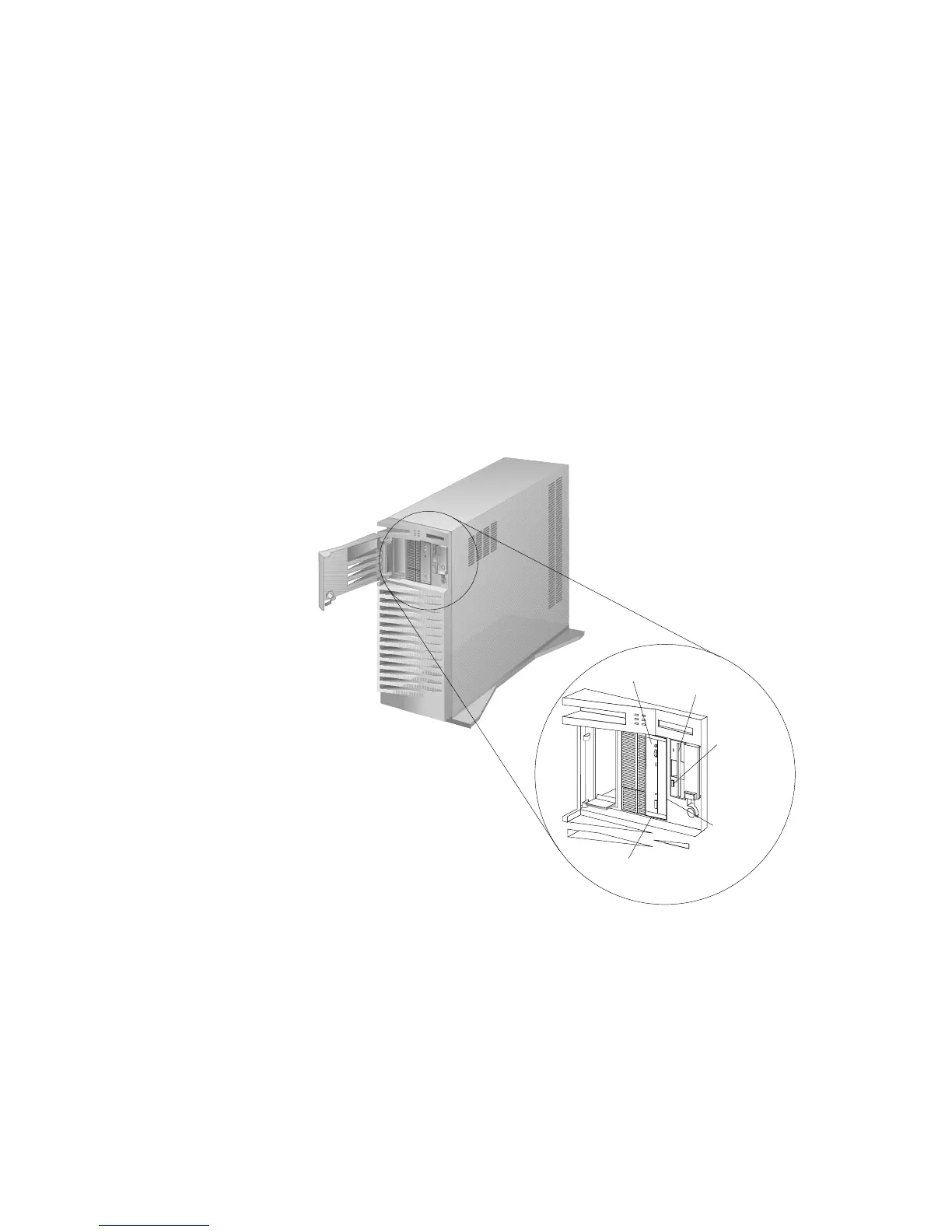
4. Press the CD-ROM tray-release button. The CD-ROM tray will
extend out approximately 25 mm (1 in.) from the server. Pull
the tray straight out until it stops.
Diskette
Eject
Button
CD-ROM Tray-
Release Button
Manual Tray-
Release
Opening
CD-ROM
Drive
Diskette
Drive
Note: If the CD-ROM tray does not extend out, insert the end
of a paper clip into the manual tray-release opening and
gently pull the tray open.
Chapter 2. Installing Software 29








 To Next Page