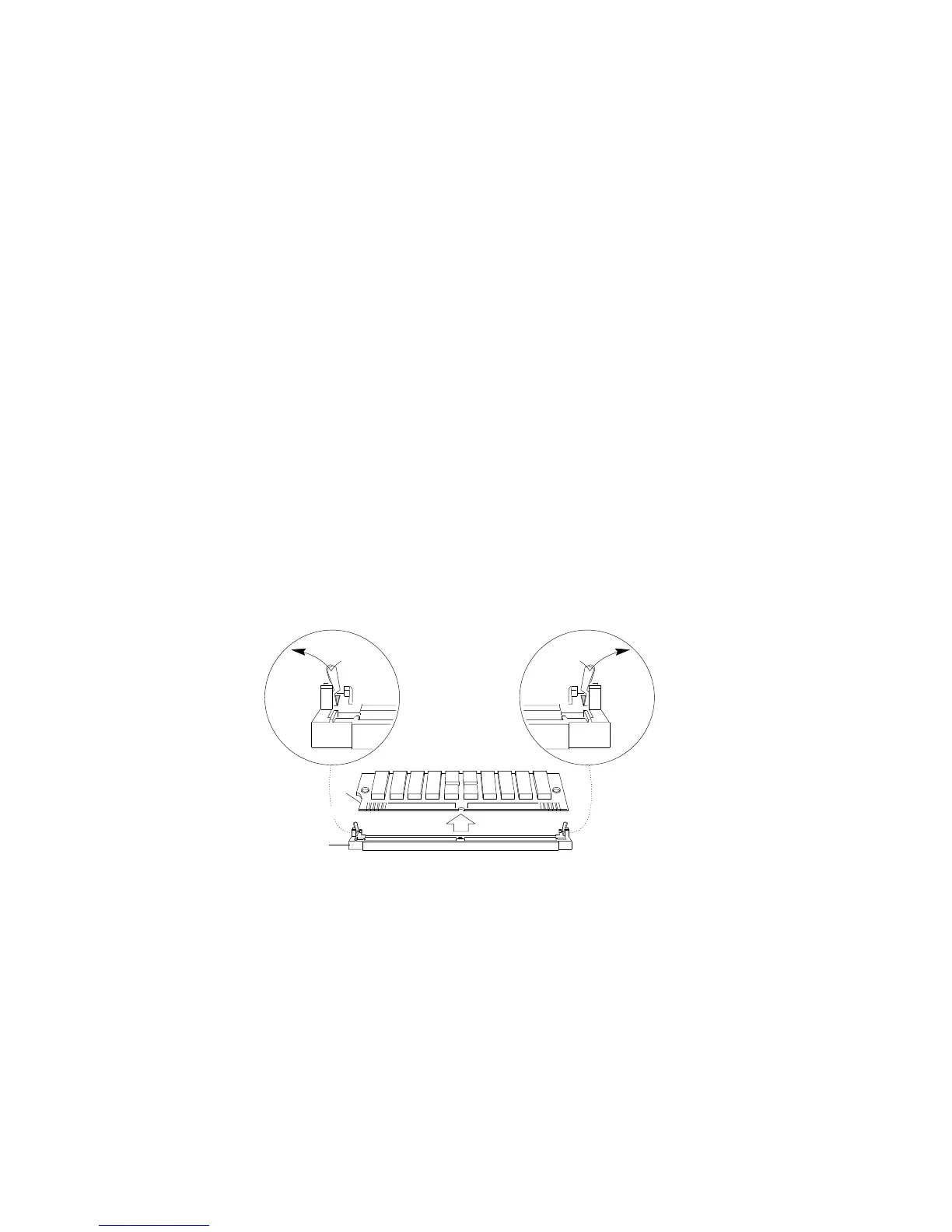
Removing Memory-Module Kits
4. Locate the memory-module connectors on the memory board
and determine which memory modules you want to remove.
Note: You must remove the memory modules in pairs, starting
with the highest-numbered sockets that are farthest away
from bank 1.
5. Remove the memory module:
a. Carefully press the two retaining clips .3/ on the
memory-board connector outward, creating just enough
space to lift the top edge of the memory module away from
the clips.
b. Lift the memory module away from the socket .2/.
1
2
3
Note: Item .1/ in the above illustration is the notch used for
orientation when installing SIMMs.
126 PC Server 704 User's Handbook






 To Next Page