Removing Memory-Module Kits
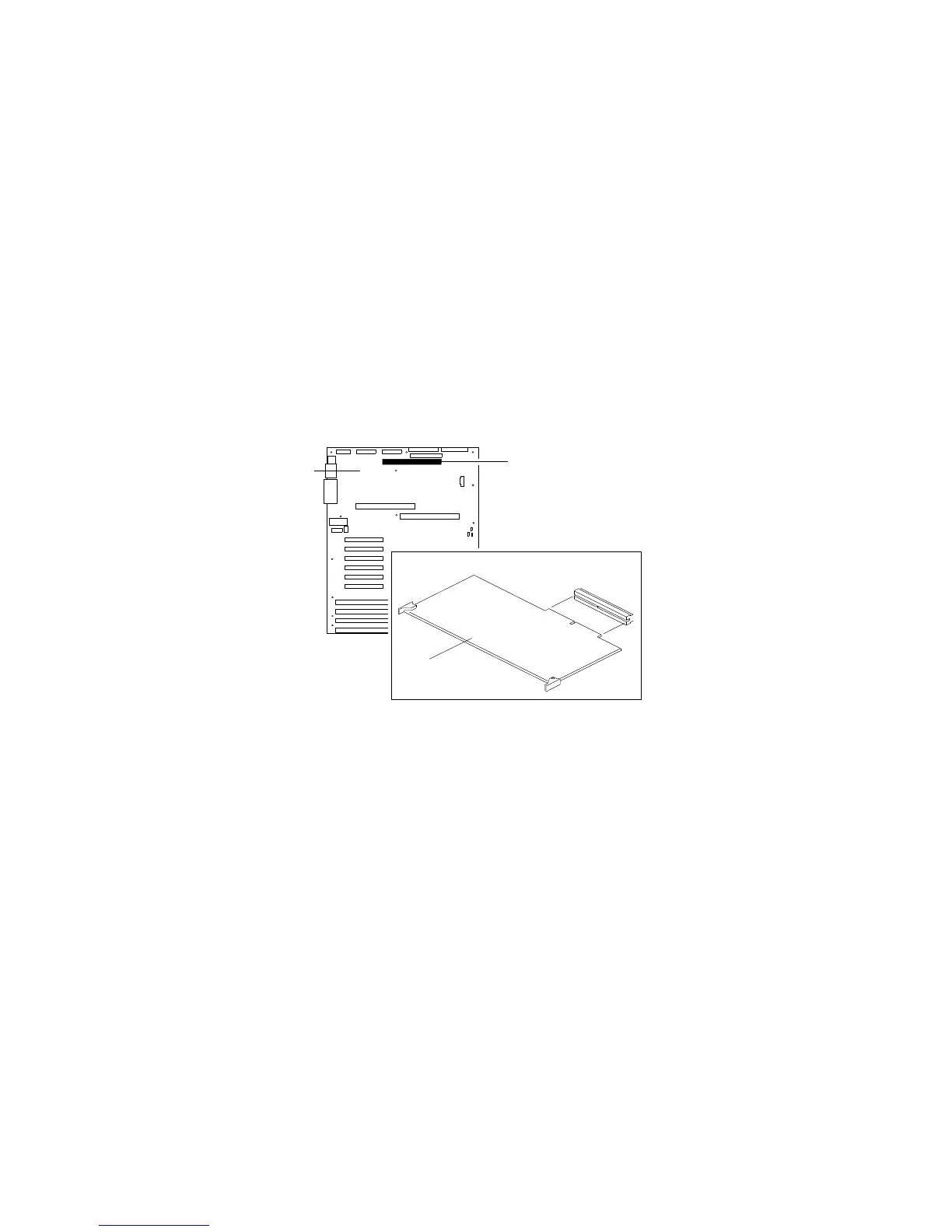
8. Reinstall the memory board:
a. On the system board .1/, locate the connector .2/ for the
memory board .3/.
1
2
3
b. Grasp the memory-board corner handles and carefully slide
the memory board into the appropriate slot guides on the
system board.
c. Press the memory board firmly into the system-board
connector.
d. Rotate the memory-board handles to the closed position,
until the handles are aligned with the front edge of the
memory board.
128 PC Server 704 User's Handbook






 To Next Page