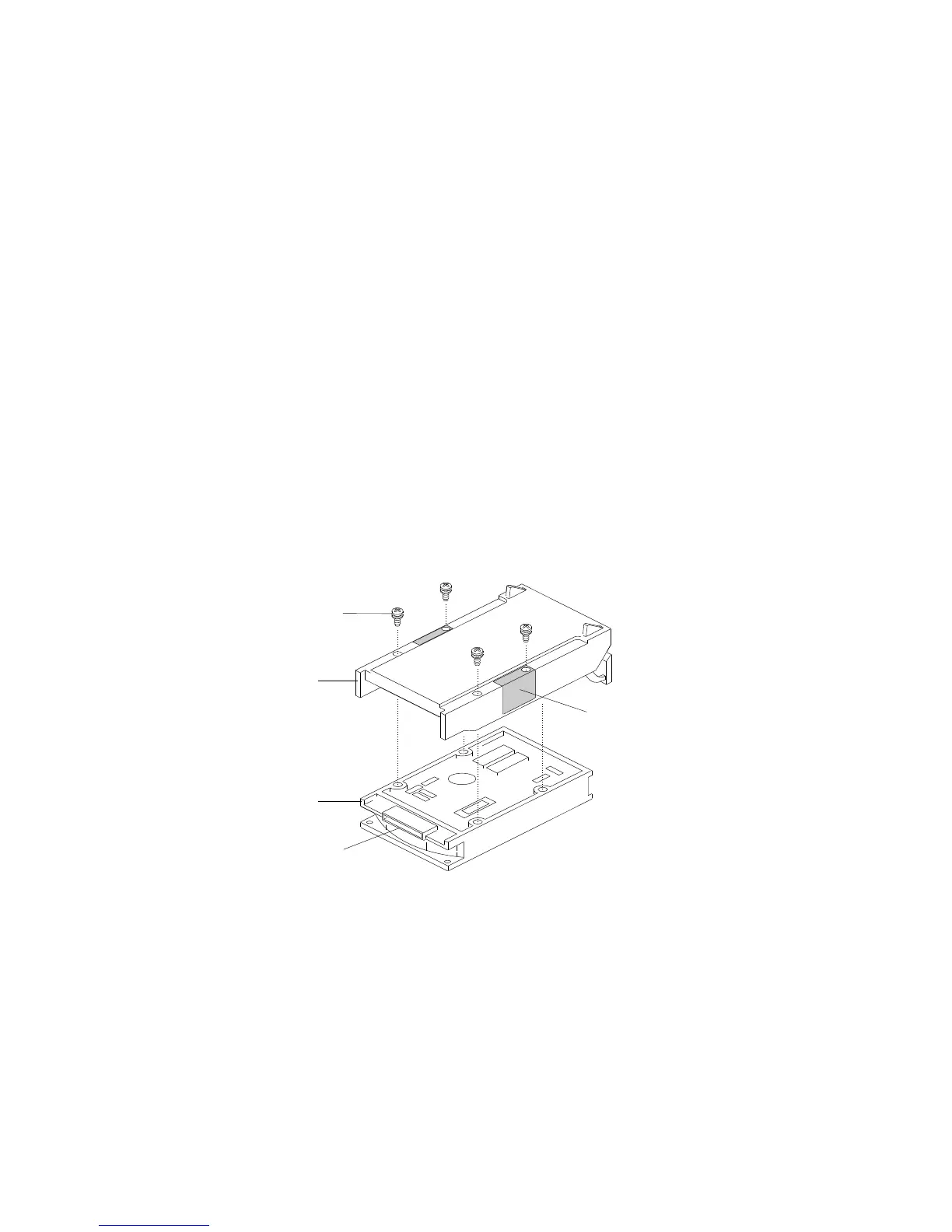
Installing Internal Drives
6. Orient the drive .3/ so that the power and signal .4/ connectors
are near the top surface of the drive; then, place the drive on the
static-protective surface again.
7. Place the carrier .2/ on top of the drive.
8. Attach the carrier using four screws .1/ of appropriate size and
length. The carrier includes EMI/ESD grounding clips .5/ that
make contact with the drive through two of the screws.
Note: The screws are included in the drive accessory kit that
came with your server.
1
2
3
4
5
176 PC Server 704 User's Handbook






 To Next Page