Setting System-Board Configuration Jumpers
8. Removed the left side cover again (see “Removing the Side
Covers” on page 81), and move the jumper back to its original
position (pins 1 and 2, factory default).
9. Complete the installation (see “Completing the Installation” on
page 201).
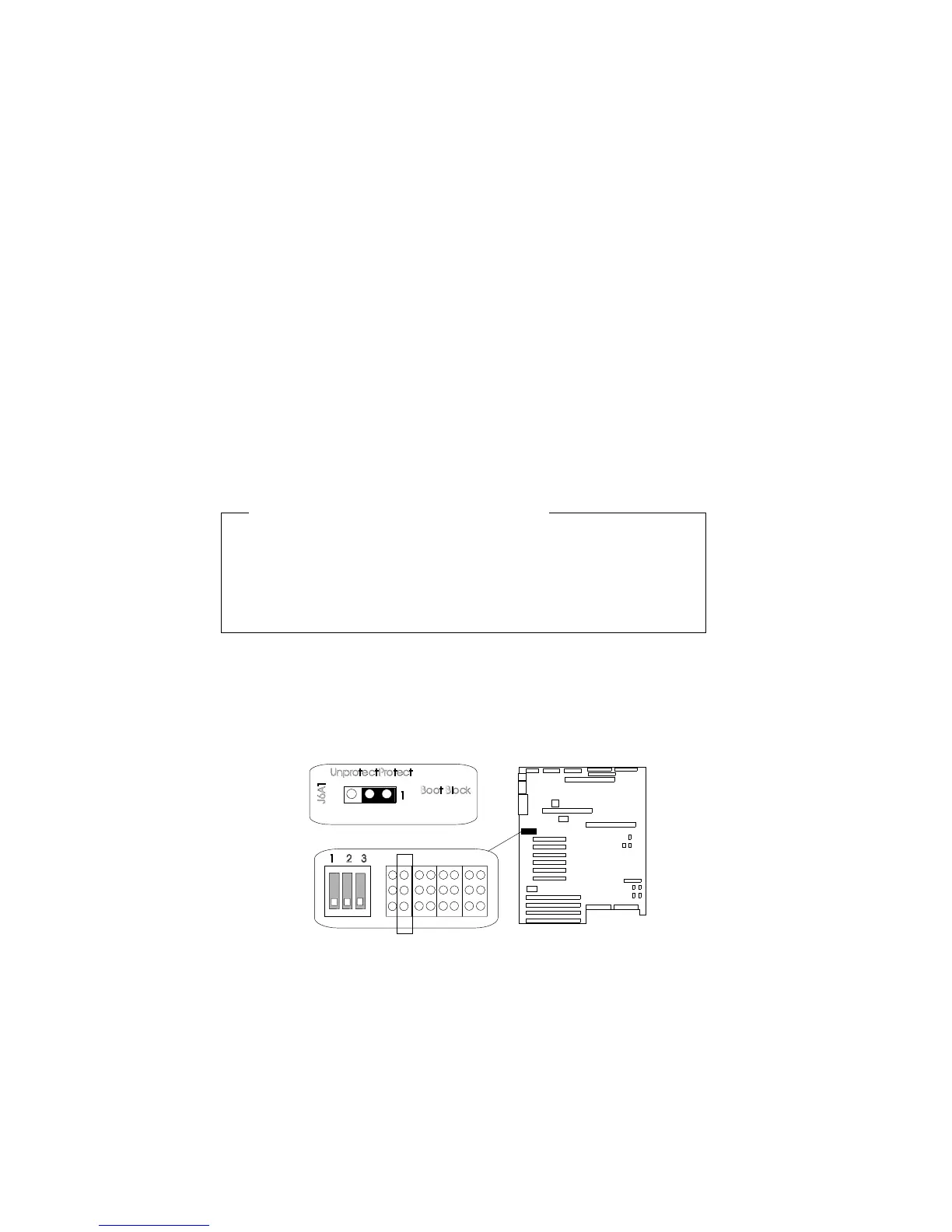
Setting the BIOS Boot Block Jumper (J6A1)
Before you start, be sure that you have:
Read “Electrical Safety” on page 75 and “Handling
Static-Sensitive Devices” on page 77.
Removed the left side cover (as viewed from the front of the
server; see “Removing the Side Covers” on page 81).
Note: Do not mistake this jumper block for the ones on either side.
To be able to program the boot block, do the following steps:
1. Identify the BIOS boot block jumper, J6A1.
J6A1
ProtectUnprotect
BootBlock
1
1 2 3
2. If the processor board blocks access to the jumper, remove it
(see steps 2 through 5 on page 106).
Appendix A. Server Records 295





 To Next Page