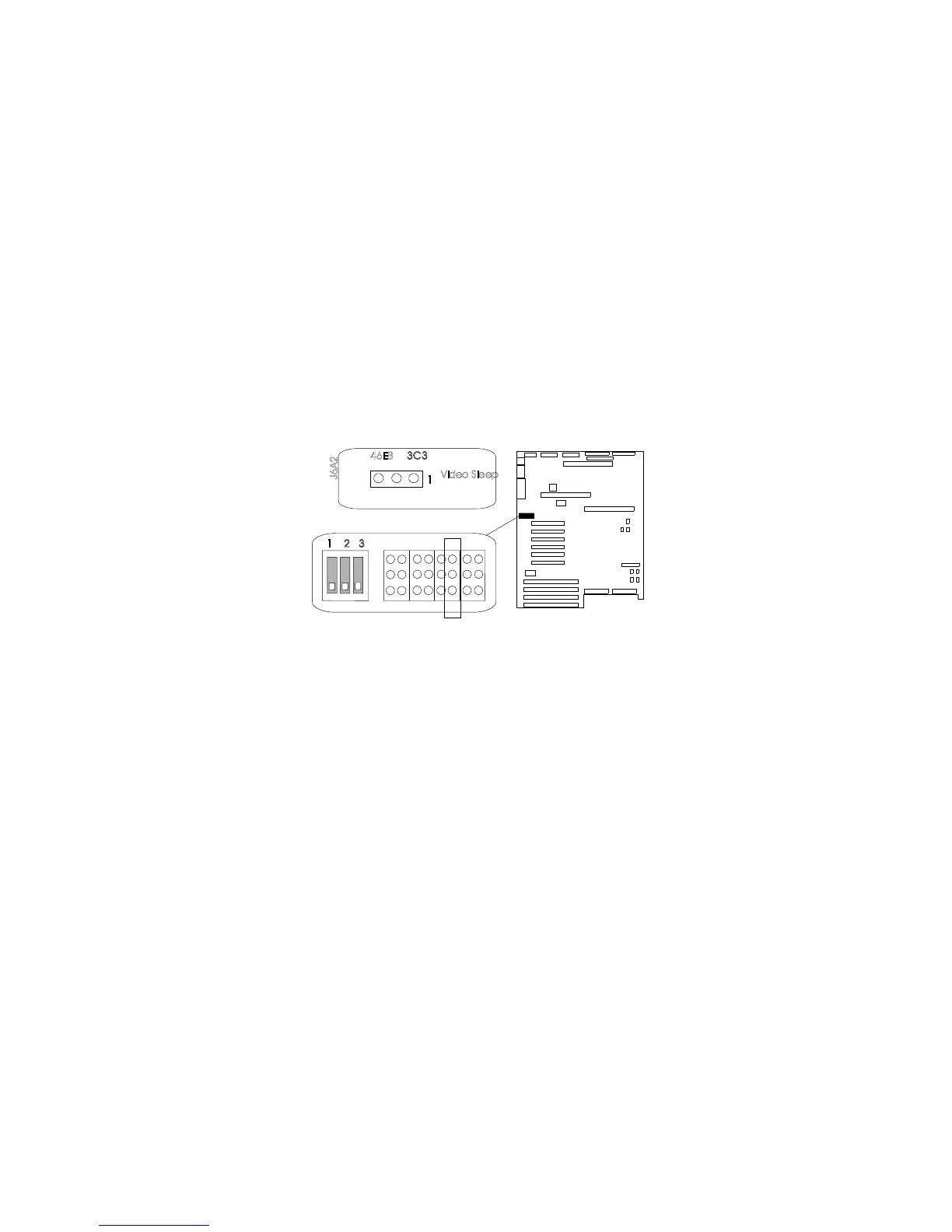
Setting System-Board Configuration Jumpers
To change the location of the Video Sleep Register, do the following
steps:
1. Identify the Video-Sleep-Register jumper, J6A2.
VideoSleep
J6A2
46E8
1
1 2 3
3C3
2. If the processor board blocks access to the jumper, remove it
(see steps 2 through 5 on page 106).
3. Set the address of the Video-Sleep Register:
a. To set the address to 03C3H (factory default), move the
jumper to pins 1 and 2.
b. To set the address to 46E8H, move the jumper to pins 2
and 3.
4. If you removed the processor board, install it (see steps 12 on
page 108 through 12e on page 110).
5. Complete the installation (see “Completing the Installation” on
page 201).
Appendix A. Server Records 297





 To Next Page