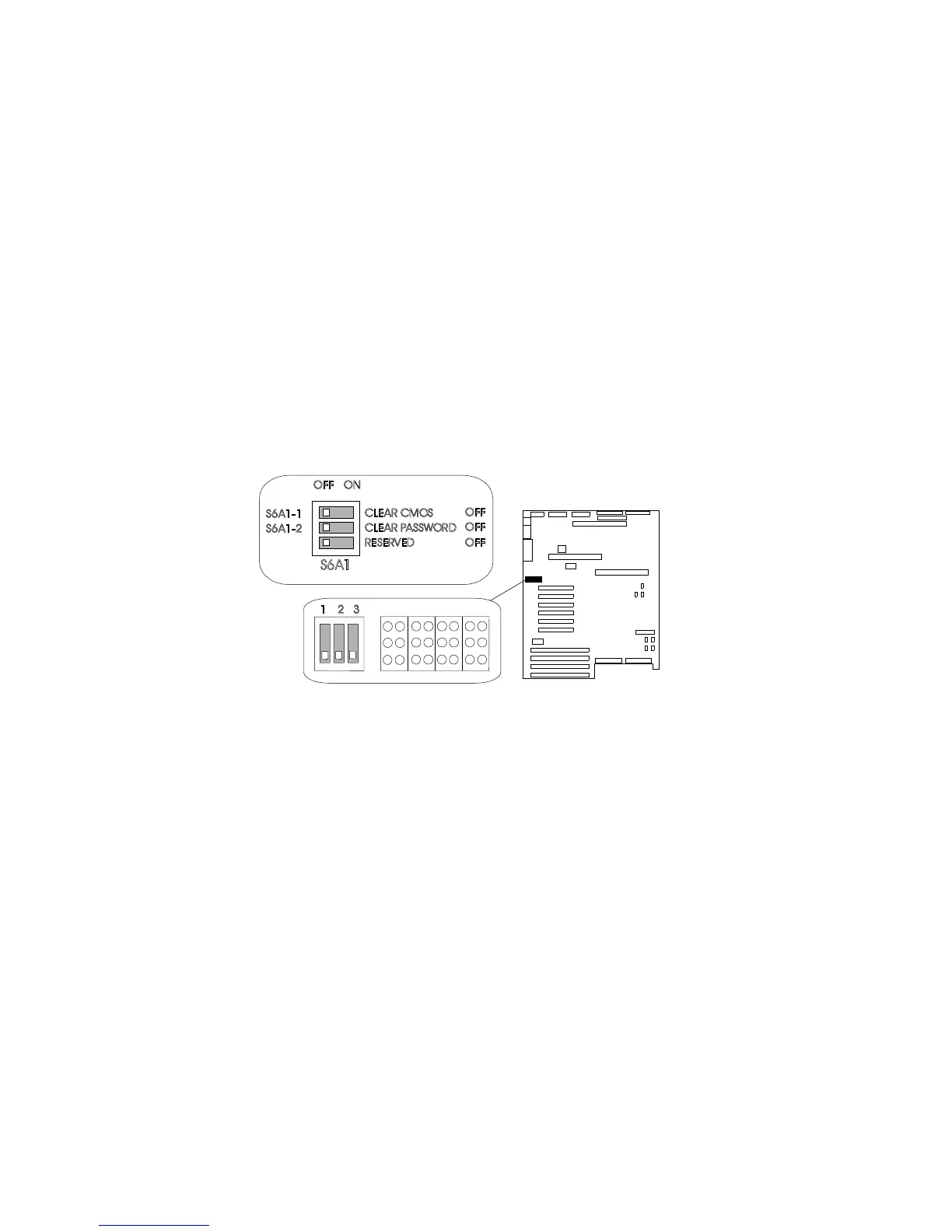
Setting System-Board Configuration Switches
To reset the server's NVRAM and RTC settings to the factory
default values, do the following steps:
1. Remove the bottom processor board.
2. Locate the configuration switches on the system board.
CLEARCMOS
CLEARPASSWORD
RESERVED
OFF
OFF
OFF
S6A1
ONOFF
S6A1-1
S6A1-2
1 2 3
3. Slide switch S6A1-1 to On.
4. Replace the bottom processor board.
5. Connect the power cords to the server and the monitor.
6. Turn on the server and the monitor; then, wait for POST to
complete. This automatically reprograms the NVRAM and RTC
to their factory settings.
7. Turn off the server and the monitor.
8. Disconnect the power cords from the server and monitor.
9. Remove the bottom processor board.
10. Slide switch S6A1-1 to Off.
11. Replace the bottom processor board.
12. Complete the installation (see “Completing the Installation” on
page 201).
300 PC Server 704 User's Handbook





 To Next Page