Removing Channel Adapters
Note: Perform the following procedure only after being directed to this section
from “Exchanging an Adapter” on page 4-42.
To remove a Parallel Channel Adapter, do the following:
1. Ask the host computer operator to place the channel attached to this Parallel
Channel Adapter in a non-operational state.
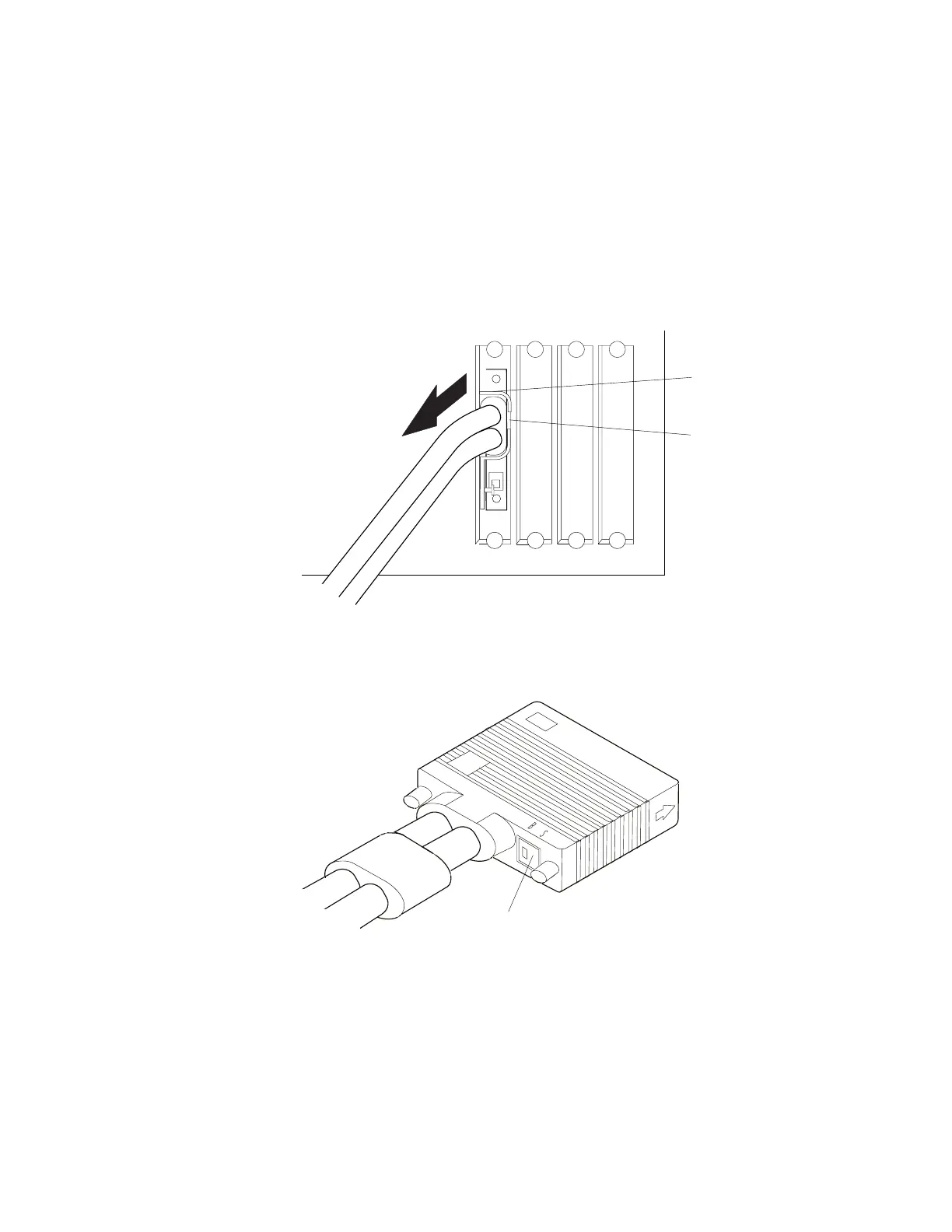
2. Disconnect the V-cable from the Parallel Channel Adapter, by loosening the
screws on the top and bottom of the connector.
3. Pull the connector on the cable from the D-shell connector on the adapter.
Parallel
Channel
Adapter
Connector
Toroid
4. Move the Select/Bypass Switch on the V-cable to B.
Note: When the Select/Bypass switch is set to B, the Parallel Channel
Adapter is bypassed on the attached channel.
Select/BypassSwitch
5. Tell the host computer operator that the channel can be returned to an
operational state.
6. Return to the procedure that brought you here.
Chapter 3. Multiaccess Enclosure Problem Determination 3-43


 To Next Page
 Loading...







