h Press the Esc key 3 times to exit.
i Continue with Step 9.
9 Update the system firmware:
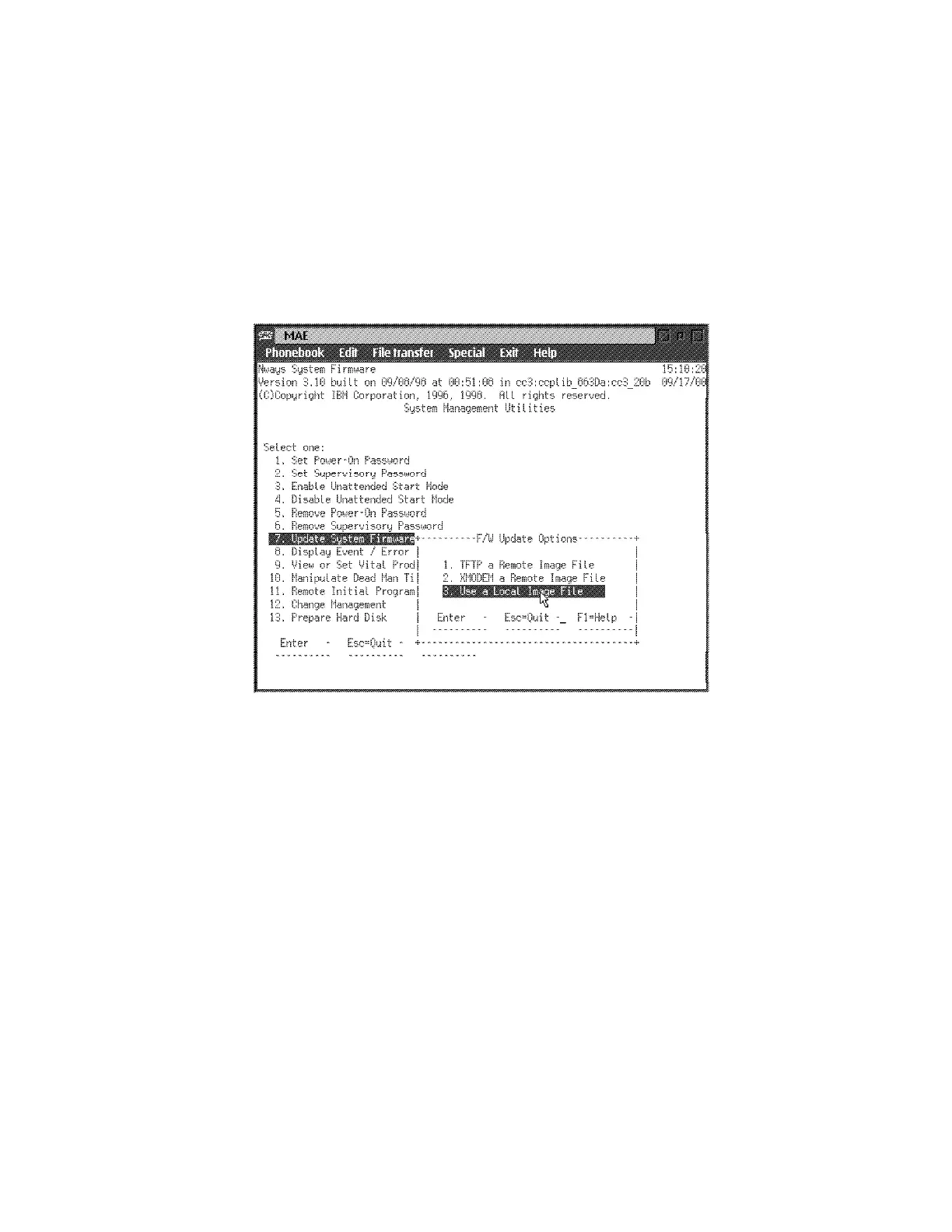
a Select 7. Update System Firmware and press Enter.
b From the F/W Update Options menu, select 3. Use a Local Image
File then press Enter.
c Follow the prompts, enter the Local File Name
c:\firm.ld
then press Enter.
d When the System Firmware Update window is displayed, press Y.
e In the System Firmware Update window, press Enter.
f When the message "Firmware recovery image has been created
successfully" is displayed press Enter.
g If a System Firmware Update confirmation window is displayed, type
Y.
h The following window is displayed:
4-18 3746-9X0: MAE Installation and Maintenance


 To Next Page
 Loading...







