a Power OFF the MAE.
b Replug the SAC card previously unplugged.
c Tighten the thumbscrews on the face of the adapter card clockwise.
d Power ON the MAE and wait the end of the reboot.
11 Reinstall the MAE:
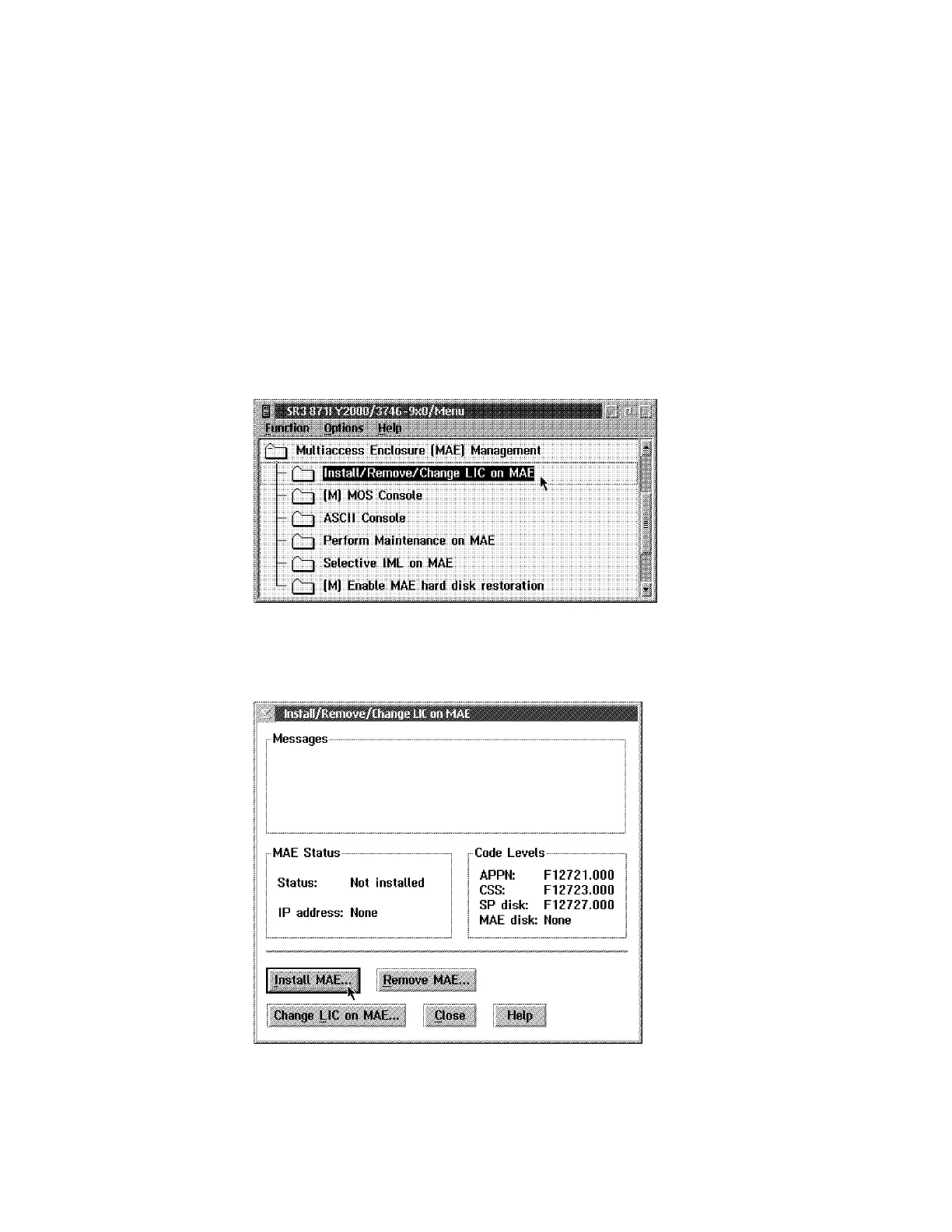
a Return to the 3746/9x0 Menu, select Multiaccess Enclosure (MAE)
Management.
b Double click on Install/Remove/Change LIC on MAE.
c Wait until the following window is displayed, then click on Install
MAE....
Figure 4-10. Install Multiaccess Enclosure
d Enter the MAE IP address (value recorded at the beginning of the
procedure), then click on OK.
4-20 3746-9X0: MAE Installation and Maintenance


 To Next Page
 Loading...







