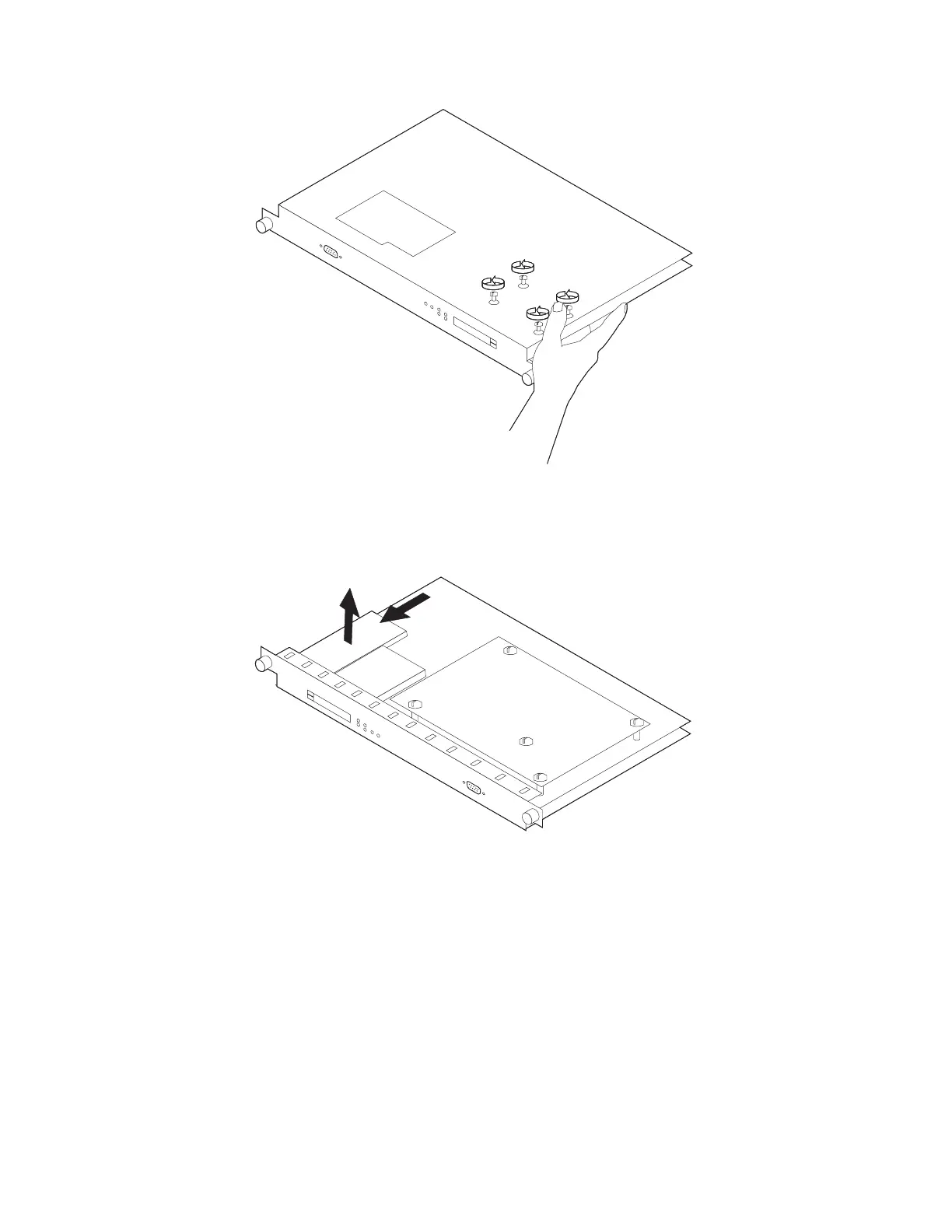
6 On the bottom of the system card, remove the four screws (with a screw
starter) while holding the hard drive in place.
7 On the reverse side of the system card, disconnect the drive from the
connector and lift it off the system card.
8 Center the new hard drive inside the lines on the system card.
Note: If you do not center the hard disk drive, the electrical pins on the hard
drive will be visible next to the hard drive connector on the system card.
Install the new hard drive by reversing Steps 6 and 7 above. Be sure to
support the hard drive while installing the screws.
4-26 3746-9X0: MAE Installation and Maintenance


 To Next Page
 Loading...







