Updating System Firmware
Use this utility to update the multiaccess enclosure firmware. Only full images of
the firmware are shipped; therefore, when you select this option you completely
replace the previous level of firmware.
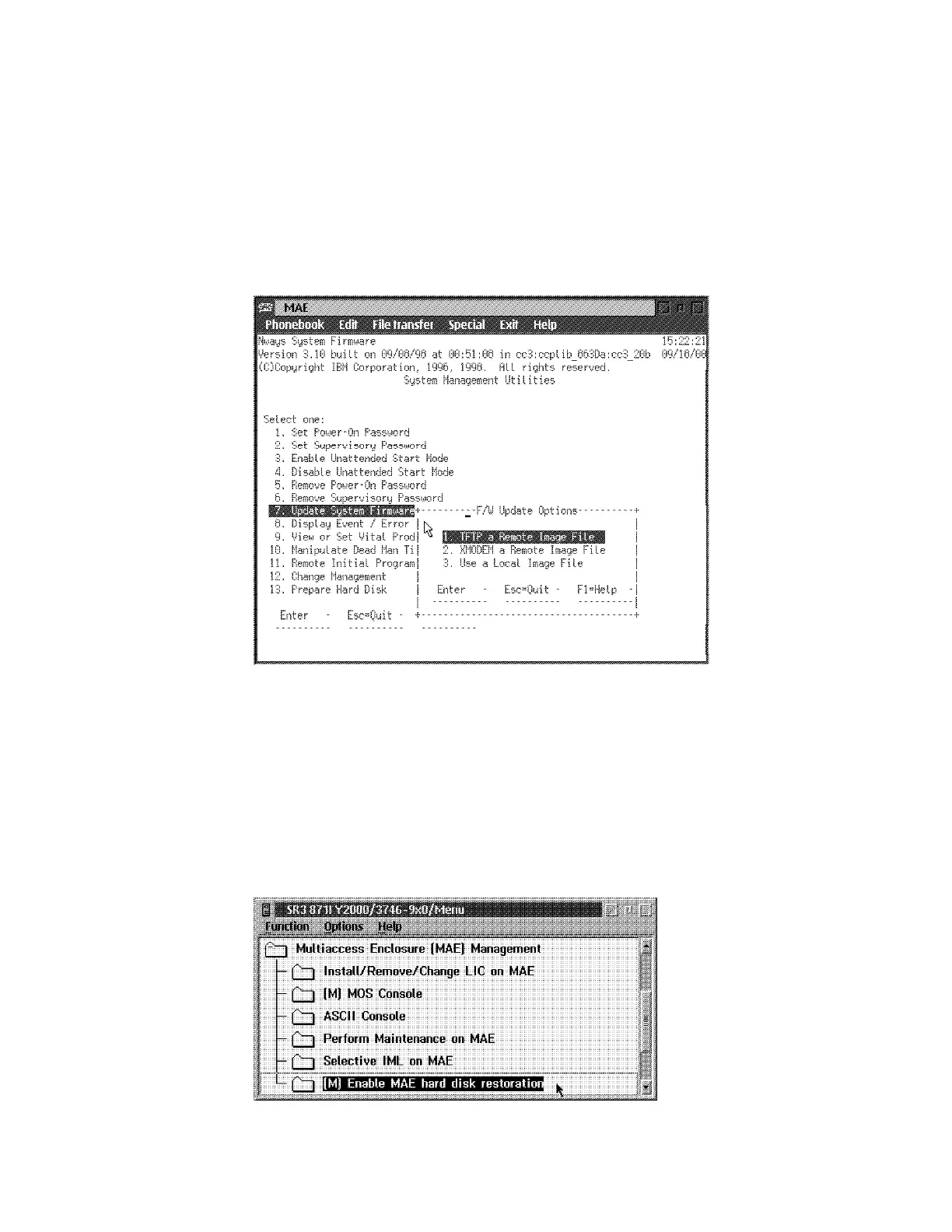
1 Select 7. Update System Firmware from the utilities panel.
2 The System Firmware Update panel is displayed:
Figure 5-12. System Firmware Update Panel
Attention: Do not power off the multiaccess enclosure during the process of
updating the firmware. If the update fails, the multiaccess enclosure will boot
a backup firmware image. If this happens, repeat the update procedure to
reload the onboard firmware image.
3 In the Multiaccess Enclosure (MAE) Management window, double click on
the Enable MAE hard disk restoration option.
.
5-16 3746-9X0: MAE Installation and Maintenance











 To Next Page