Installing Options
8. Connect the cable provided with the B/M on the adapter connector
according to the worksheet or ask the customer.
9. Then, tighten the cable screws (if present).
10. Label the cables for proper reconnection.
Configuring the Adapter.
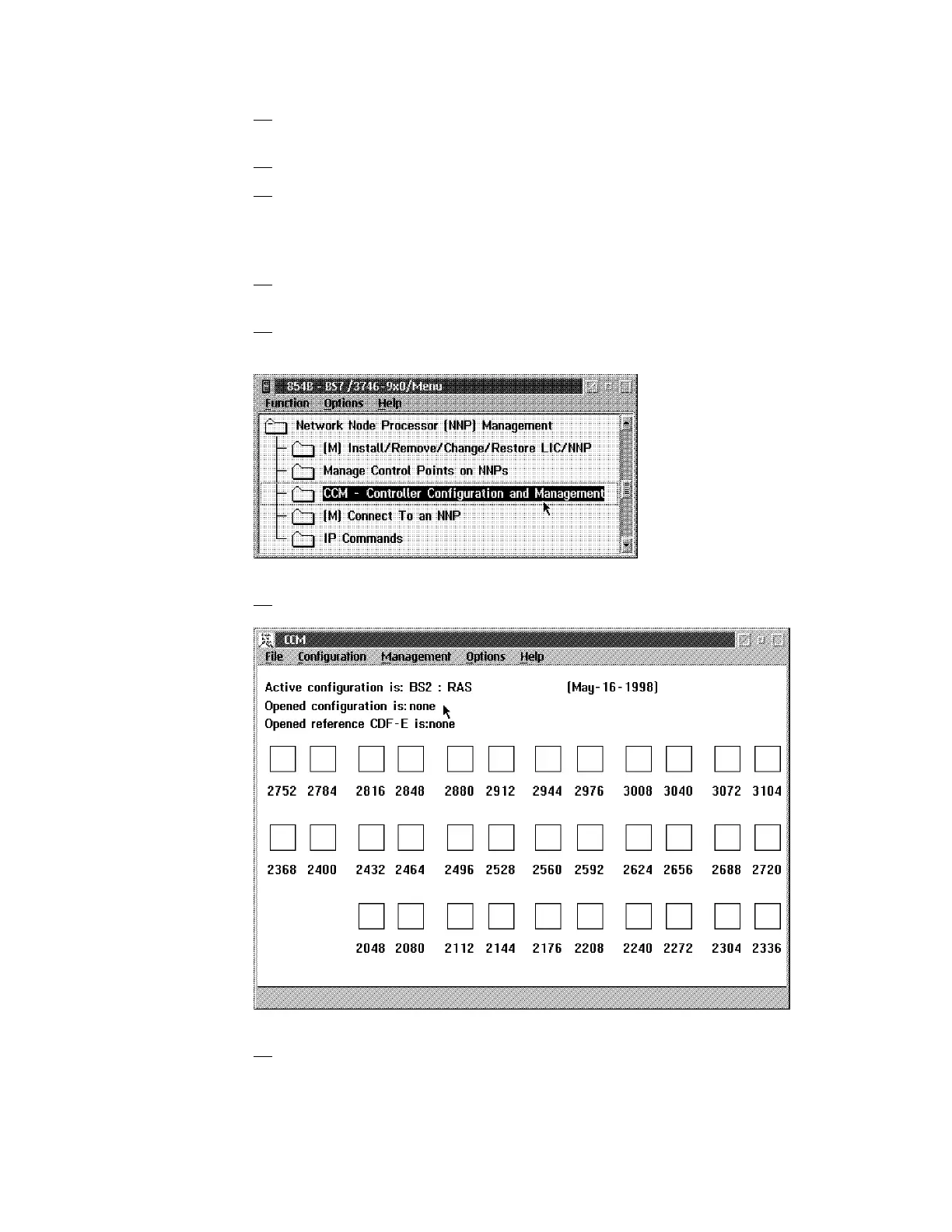
1. In the Main Menu click on Network Node Processor (NNP) Management
option.
2. In the Network Node Processor (NNP) Management window, double click
on the Controller Configuration and Management (CCM) option.
3. The following window is displayed.
4. Click on File in the title bar, then select Open The Configuration List
window is displayed.
6-10 3746-9X0: MAE Installation and Maintenance











 To Next Page