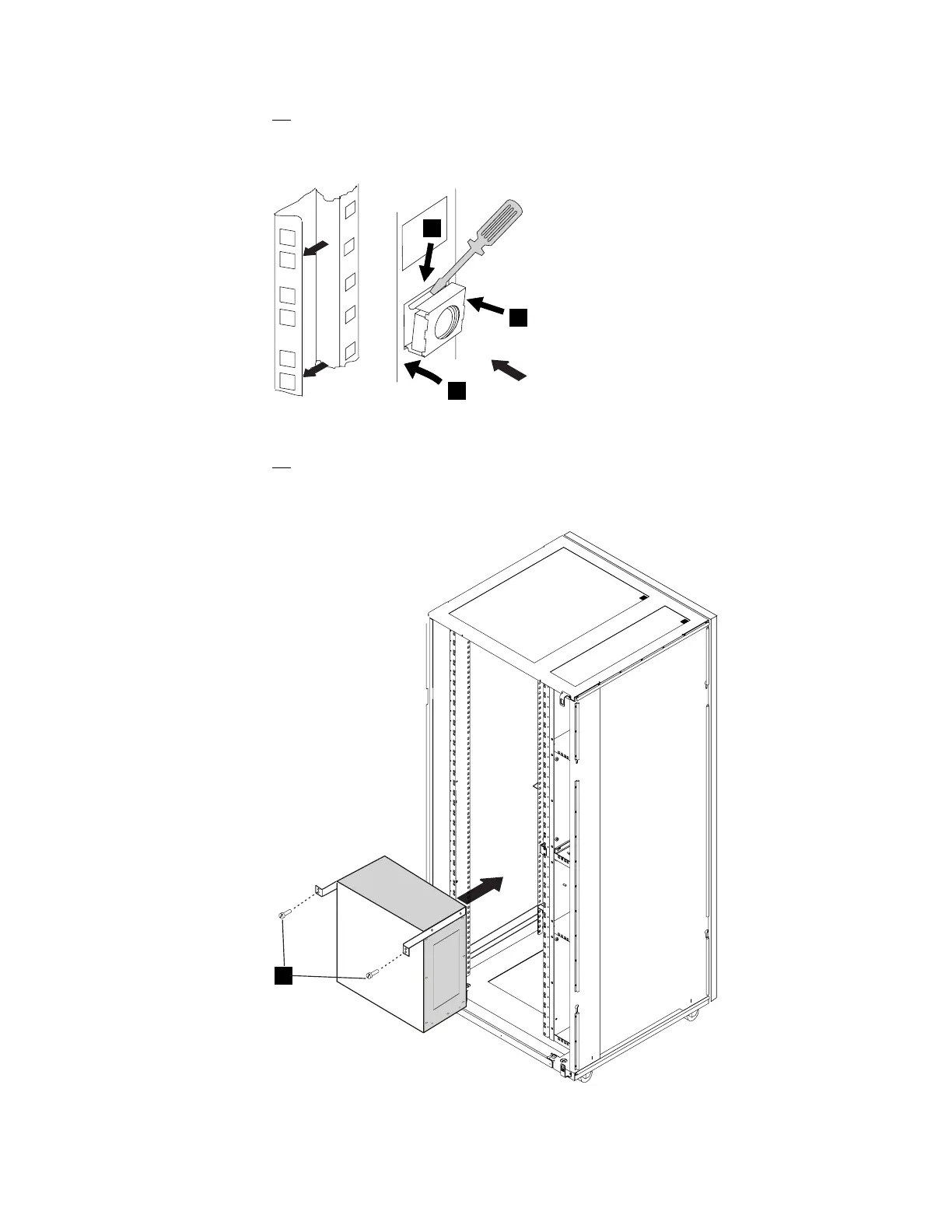
6. Install two captive nuts PN 58G5766 in the rear side of the controller
expansion as shown in Figure 1-5, refer also to Figure D-6 on page D-7 to
determine the location of the captive nuts from the brackets position.
1
3
2
Z
Z
View Z
Figure 1-5. Captive Nuts Installation
7. At the back of the controller expansion (with the help of a second CE), set
the MAE on the brackets and fasten the MAE using two screws .1/ (PN
1621230) as shown on Figure 1-6.
Rear View
1
Figure 1-6. Installing MAE in the Controller Expansion
Chapter 1. Installing and Setting Up Your MAE 1-7











 To Next Page