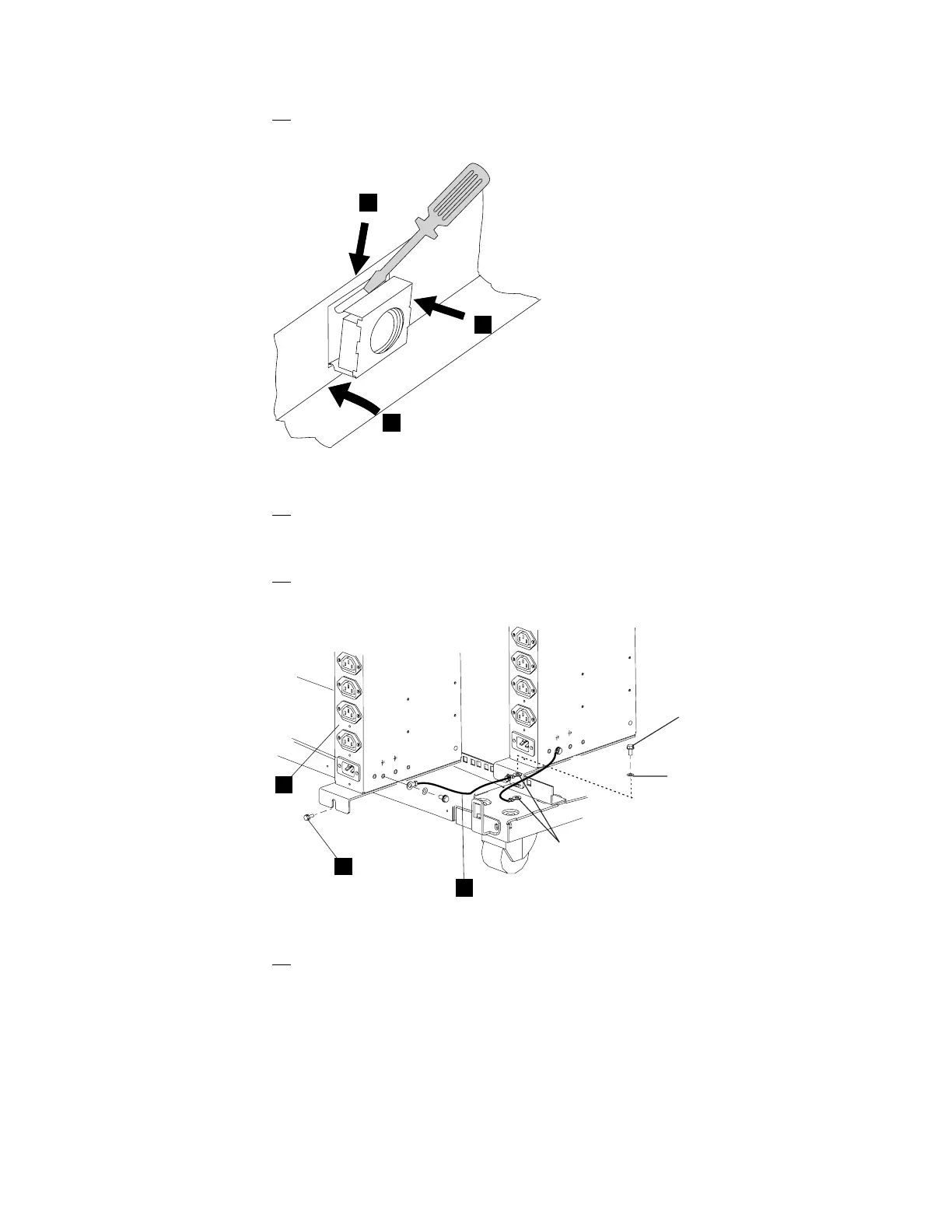
10. Refer to Figure 1-9, and install (if necessary) the two captive nuts (PN
58G5766).
1
3
2
Figure 1-9. Installing the Captive Nuts
11. Refer to Figure 1-10, using one lockwasher (PN 1622319), one starwasher
(PN 1622347), and one screw (PN1673983), connect the ground jumper
.A/ (PN 63F2459) to the new ac outlet distribution box.
12. Install the ac outlet distribution box .B/ close to the first ac outlet
distribution box and fasten using two screws .C/ (PN 1621230).
A
C
B
Screw
Lockwasher
Starwasher
Figure 1-10. Installing the ac Outlet Distribution Box
13. Connect the other end of the ground jumper .A/ to the frame, using the
same washers and screw used to connect the first ac outlet distribution box.
Chapter 1. Installing and Setting Up Your MAE 1-9











 To Next Page