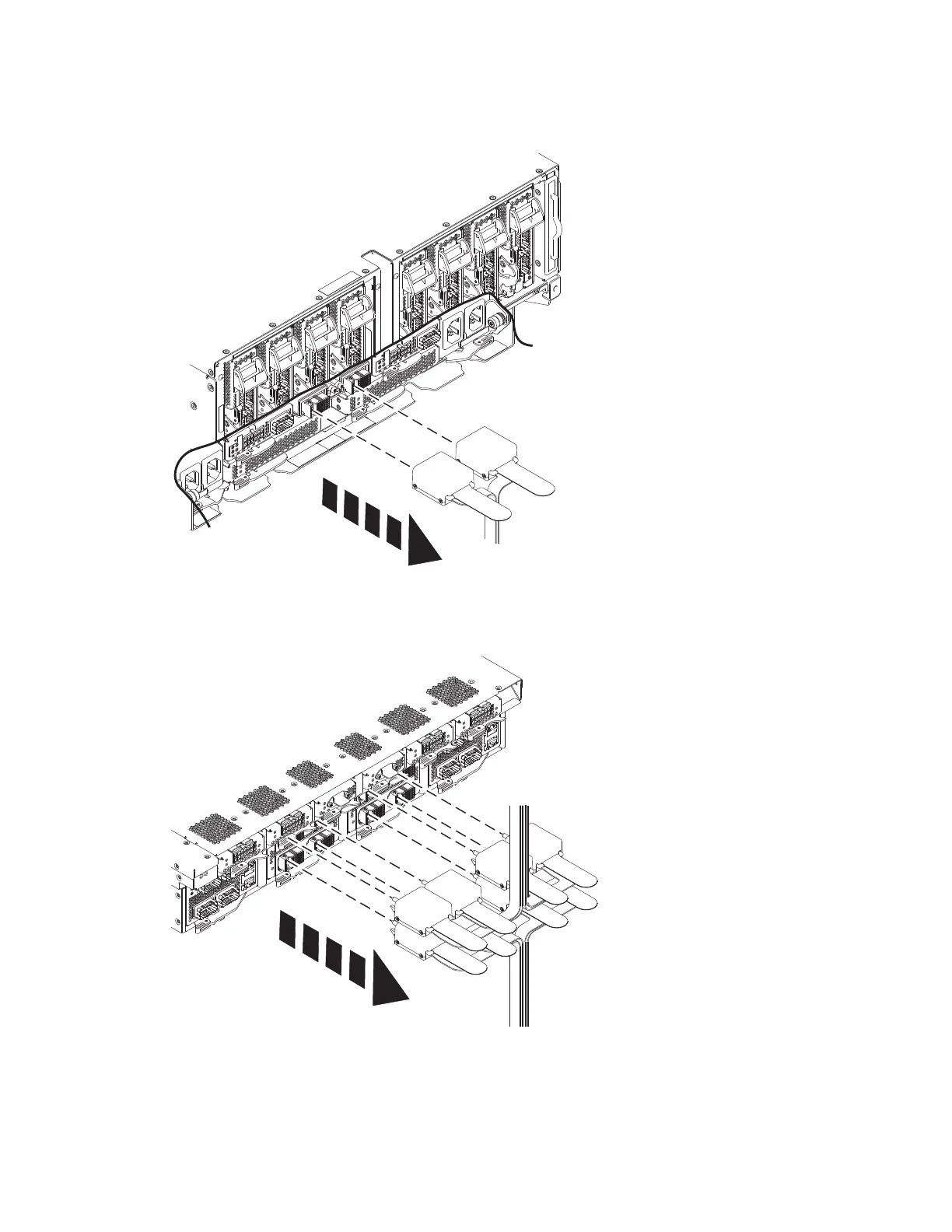
b. Remove the clock card cables from the system node by pushing the clock cable in slightly, then
pull the locking tab to release the latch and pull cable out.
c. Remove the clock card cables from the system control unit by pushing the clock cable in slightly,
then pull the locking tab to release the latch and pull cable out.
10. If present, remove the retention screws (A) from the rear of the system node.
Remove SCM 7



 To Next Page