EasyManua.ls Logo

IBM ThinkPad 370 Series - User Manual

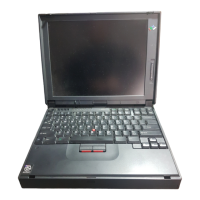
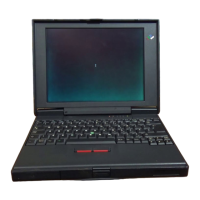
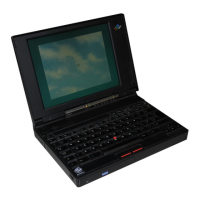
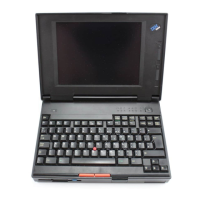
IBM ThinkPad 370 Series
508 pages
Print Icon
To Next Page IconTo Next Page
Loading...
This Manual Supports:
ThinkPad 340x (2610)
ThinkPad 355x (2619)
ThinkPad 360x (2620)
ThinkPad 370x (9545)
ThinkPad 700x (9552)
ThinkPad 701x (2630)
ThinkPad 720x (9552)
ThinkPad 750x (9545)
ThinkPad 755x (9545)
S82G-1502-03
IBM Mobile Systems
Hardware Maintenance Manual
Volume 2: ThinkPad Computers
April 1995
We Want Your Comments!
(Please see page 491)

Table of Contents

Questions and Answers

  • R
    Richard NelsonAug 4, 2025
    What to do if the TV Tuner on my IBM ThinkPad 370 does not operate (no picture or sound)?
    • R
      rjacksonAug 5, 2025
      If the TV Tuner on your IBM Laptop isn't working, here are a few things to check: * Make sure your computer is powered on and not in suspend mode. * Verify that the volume control of the TV Tuner or computer is properly adjusted. * Ensure the TV Tuner is receiving power. * Check that the wall outlet for the outdoor antenna is active. * Confirm that the video or antenna cable is correctly connected. * Adjust the antenna elements of the active antenna unit. * Make sure the batteries in the active antenna unit are correctly inserted and not depleted. * Verify that the TV Tuner is set up correctly. * Note that you cannot watch TV or videos on the external display. * LO is set for the auto tune sensitivity selection.

Summary

Important Service Information

FRU Replacement Strategy

Strategy to prevent unnecessary FRU replacement and service expense.

Safety Notices (Multi-lingual Translations)

Safety Information

ThinkPad 340 x (IBM 2610)

ThinkPad 700, 700 C, 720, 720 C (9552)

ThinkPad 701 C;701 CS (2630)

ThinkPad 355 x, 360 x, 370 C, 750 x, 755 C, 755 Cs

Read This First

Important service information for U.S. and Canada, including model coverage and warnings.

ThinkPad 755 CE, 755 CSE, 755 CV, 755 CX (9545)

Power Systems Checkout

Verifying symptoms by testing computer power sources like AC adapter and battery.

Symptom-to-FRU Index

Lists symptoms, errors, and causes to identify FRUs for servicing.

FRU Removals and Replacements

Information on removing and replacing Field Replaceable Units (FRUs) with procedural steps.

IBM ThinkPad 370 Series Specifications

General IconGeneral
BrandIBM
ModelThinkPad 370 Series
CategoryLaptop
LanguageEnglish

Related product manuals