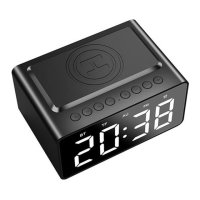
Port: AUX-in, Micro SD card, TYPE C, DC5V 1A
Dimensions: 130 x 90 x 68.5mm
3.2 Wireless Charger
Charging Adapter :DC5V 3A (allow wireless charging & USB output charging)
Output Power: 5V 1A 5W
4.Trouble Shooting:
1. If fails to find model name or connect with speaker, check the clock
radio and smartphone are both in pairing mode.
2. Re-open the Bluetooth function on your mobile/computer.
3. Close other Bluetooth enabled devices to avoid searching problems.
4. Please enter “0000”(4 zeros) if password needed.
1. Adjust your phone volume (if on minimum volume status)
2. Check if speaker is on pause. Un-pause.
Speaker/sound interrupted
when playing music
1. Check if wireless range is exceeded or if there is an obstacle between
the speaker and the connected devices.
2. Check phone power. Restart your phone.
Check cable connections. Fully charge via USB cable. Push ON. Try again.
Does not charge. No red
indicator
1. Check if charge cable is damaged/broken. Try alternate USB cable.
2. Check if mains power plug damaged/broken. Try alternate switch.
3. Re-start the clock/radio and try again.
5.Package Content
- Clock/radio *1, User Guide *1, Type C Cable *1, Audio Cable *1


 To Next Page
 Loading...