Volume up (short press); Next song (long press)
Time & Alarm clock setting keys
Short press to cycle clock brightness: strong brightness(default)/normal brightness/low brightness;
Long press to turn OFF/ON the LED clock display.
Tips:
1) In order to save power, the strong brightness setting will auto change to low brightness after 5 minutes.
2) Light stays on when Type C charging.
Short press to switch clock modes: alarm clock 1 / alarm clock 2 / alarm clock 1 & 2 / no alarm clock
*Time clock mode, long press to start/finish time clock setting and short press to select hour or minute number for setting.
*Alarm clock mode, long press to start/finish alarm clock setting and short press to select hour or minute number for
setting.
Time setting , Long / Short press to decrease hour/minute number
Time setting , Long / Short press to increase hour/minute number
MIC: Hands free microphone
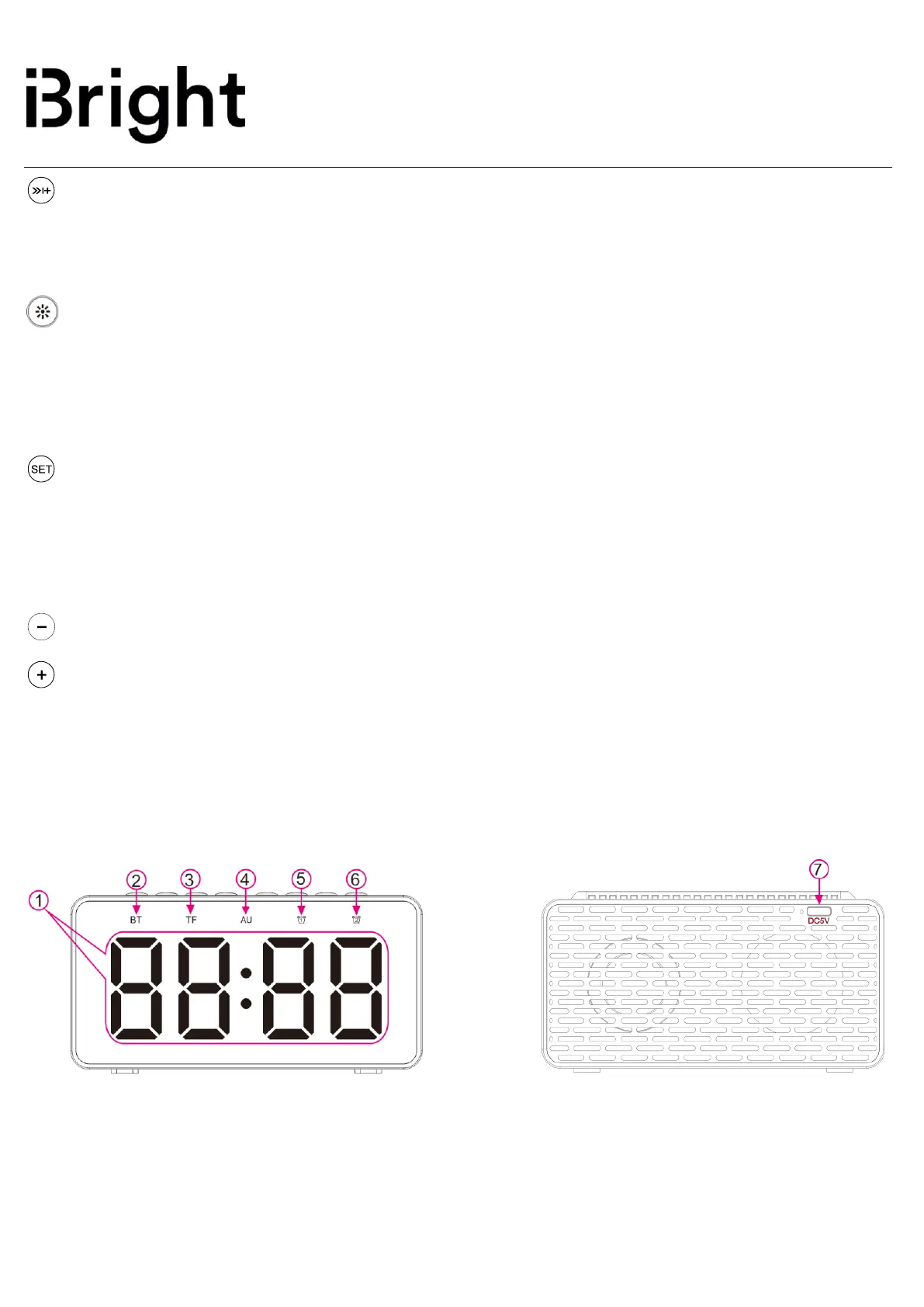
1.2 LED Display Area


 To Next Page