
 Need help?
Do you have a question about the ICC DNET-100 and is the answer not in the manual?
Specifies the temperature and humidity limits for operating the gateway unit.
Details proper grounding and cable routing for reliable operation.
Provides safety precautions for connecting to Toshiba Adjustable Speed Drives.
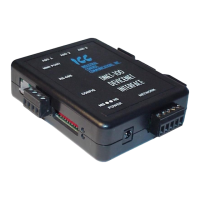
Illustrates the physical dimensions and layout of the DNET-100 enclosure.
Provides dimensions and details for the unit's mounting clip.
Details the gateway's external ports and connectors, including bottom and front views.
Describes the DeviceNet connection type and specifications.
Details the supported secondary networks like ASD common serial and RS-485.
Explains power options for the gateway when connected to ASDs.
Lists the primary and secondary network protocols supported by the gateway.
Confirms DeviceNet compatibility and conformance testing.
Describes configuration via RS232 using a terminal program.
Step-by-step guide for installing the gateway with an RS-485 secondary network.
Instructions for installing the gateway with Toshiba ASD drives via common serial.
Guidelines for storing the gateway when not in use.
Details the warranty coverage period and service information.
Explains the function of the two green LEDs on each ASD port.
Describes the function of the two green LEDs on the MMI port.
Details the status indicated by the DeviceNet Module Status and Network Status LEDs.
Explains how to map secondary network data items to DeviceNet parameter objects.
Details the configuration of I/O assembly objects for data exchange.
Defines actions to take when DeviceNet communications are lost.
Summarizes the overall gateway configuration process.
Lists the necessary hardware and software for console access.
Explains how to connect the gateway to a PC for console access.
Details HyperTerminal settings for communicating with the gateway.
Describes how to enter and exit the gateway's console interface.
Overview of the gateway's main console menu structure.
How to view and edit configured points (parameters) and their mappings.
Procedure for saving the current gateway configuration to file system.
How to retrieve a configuration file from the gateway's file system.
Steps to start a new configuration from scratch.
Method for uploading and downloading point files via Xmodem.
Process for downloading the custom-generated EDS file.
Accessing firmware version and real-time clock settings.
Procedure for rebooting the gateway and restarting communication tasks.
Lists necessary items for performing firmware updates.
Explains how to connect the gateway for firmware update.
Guide on using the Rabbit Field Utility for firmware downloads.
Methods for downloading firmware files to the gateway.
Final steps after completing the firmware update process.
 General
| Model | DNET-100 |
|---|---|
| Category | Gateway |
| Ethernet Ports | 1 |
| Power Supply | 12-24 VDC |
| Protocols Supported | Modbus RTU, Modbus TCP |
| Serial Ports | 1 |
| Humidity Range | 5% to 95% non-condensing |

 To Next Page