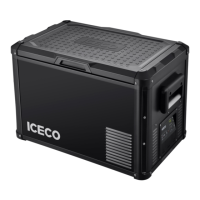
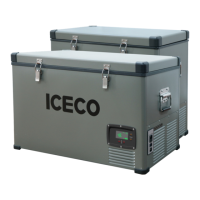
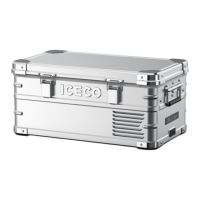
This document is a user manual for the ICECO JP40/50 PRO portable refrigerator. It covers supply details, operation, cleaning and maintenance, error codes and solutions, warranty and return policy, troubleshooting, safety instructions, and information about a protective cover.
Function Description
The ICECO JP40/50 PRO is a portable refrigerator designed to keep items cool or frozen. It features a compressor-based cooling system, allowing it to reach temperatures as low as -20°C (-4°F) and as high as +20°C (68°F). The refrigerator is suitable for various applications, including household use, staff kitchen areas, farmhouses, hotels, motels, bed and breakfast environments, and catering. It is also designed for camping use. The device includes a UV sterilizer function to help sanitize the interior, which operates automatically for 30 minutes after the fridge is turned on and turns off immediately if the lid is opened. An alarm system is in place to notify the user if the lid is not closed properly, ringing and displaying a pattern if the door is open for more than 1 minute.
Usage Features
The refrigerator's operation is controlled via a display board with several buttons:
- Power (A): Press and hold to turn the unit on or off.
- Compressor Speed (B): This button allows you to switch between MAX and ECO modes for compressor efficiency. To adjust, press and hold the settings button for 2 seconds to enter setting mode, then press the settings button again until the MAX/ECO icon flashes. Use the "+" or "-" buttons to switch modes. The factory setting is MAX mode.
- Temperature Setting UP (C) and DOWN (D): After the fridge is turned on, press these buttons to raise or lower the set temperature. Press and hold for linear adjustment. The flashing number on the display indicates the set temperature, while the solid number shows the current interior temperature. The compressor will shut off once the set temperature is reached.
- Battery Protection: The refrigerator features a triple battery protection system (H, M, L) to prevent over-discharge and battery depletion. To adjust this setting, enter the fridge setting mode by pressing and holding the settings button for 2 seconds, then press the settings button until the battery protection icon (H, M, L) flashes. Use the "+" or "-" buttons to switch between levels. The factory setting is M level.
- Temperature Scale Switch (°C/°F): To switch between Celsius and Fahrenheit, enter the fridge setting mode, then press the settings button until the temperature scale icon (°C, °F) flashes. Use the "+" or "-" buttons to switch. The factory setting is °F.
- UV Sterilizer Settings: The UV light operates automatically for 30 minutes after the fridge is turned on. It turns off if the lid is opened. To cancel the UV sanitizing function, press and hold both the power and settings buttons simultaneously. To restart, repeat the same step.
- Powering the Refrigerator: The device comes with an 8.2-foot 12/24V DC cigarette lighter plug cable for vehicle use and a 6-foot 110V AC wall outlet cable for home use. The USB connector for charging only works when the DC power cord is connected.
- Initial Setup: If the refrigerator is delivered upside down, it is recommended to leave it upright for 24 hours before powering it on. This allows the compressor lubricant to resettle, preventing potential operational abnormalities.
- Environmental Conditions: The ICECO refrigerators are engineered to operate in ambient temperatures up to 55°C (131°F) and can function under light rain conditions. However, it is not recommended to expose the fridge to moderate or heavy rain, and adequate clearances should be provided to the bottom if the ground is wet. Over-exposure to moisture can shorten the fridge's life.
- Food Placement: Do not place hot or warm food directly into the fridge without allowing it to cool off first. When using the refrigerator in a moving vehicle, secure its contents.
- Energy Saving: To maximize energy savings, ensure the lid is closed and secure, and only open the fridge when necessary.
Maintenance Features
Proper cleaning and maintenance are essential for the longevity and performance of the ICECO JP40/50 PRO:
- Before Cleaning: Always unplug the fridge before cleaning.
- Interior and Exterior Cleaning: Use warm water mixed with a gentle, non-abrasive detergent and a soft sponge or microfiber cloth to clean both the interior and exterior surfaces.
- Odor Reduction: When not in use, it is best to leave the lids open to reduce odors. If odors occur, clean the fridge thoroughly or use baking soda in a bowl to absorb them.
- Power Input Covers: Ensure power input covers are secured when cleaning to prevent water ingress.
- Power Cable Replacement: The power cable must only be replaced by qualified technical personnel or an assistant body authorized by the manufacturer.
- Maintenance Operations: Before performing any maintenance, disconnect all power sources from the fridge.
Safety Instructions and Warnings:
- Read the user manual and safety instructions carefully before use.
- Do not use pointed objects to scrape or defrost ice.
- Avoid abrasive detergents or heavy-duty sponges for cleaning, as they can cause scratching.
- Do not clean the fridge with running water or a pressure washer.
- Do not leave the refrigerator unattended in uncovered outdoor areas exposed to elements.
- Do not use the appliance near direct heat sources, such as open flames or radiators.
- Do not place open containers of liquid inside the fridge.
- Do not use mechanical devices or other means to accelerate the defrosting process, other than those recommended by the manufacturer.
- Do not use electrical devices inside the food storage compartments unless approved/recommended by the manufacturer.
- Do not store explosive items, such as aerosol cans with flammable propellants, in this appliance.
- Be aware of the risk of fire and electrical shock.
- Do not let hot items touch the plastic parts of the appliance.
- Do not put flammable products or items in, near, or on the appliance.
- Do not touch the compressor or condenser when the fridge is operating, as they can be very hot.
- Ensure the supply cord is not trapped or damaged when setting up the appliance.
- This appliance is not intended for use by persons (including children) with reduced physical, sensory, or mental capabilities, or lack of experience and knowledge, unless supervised or instructed by a person responsible for their safety.
- Children should be supervised to ensure they do not play with the appliance.
- For child entrapment risk with old refrigerators, remove doors and leave shelves in place so children cannot easily climb inside.
Protective Cover:
- The protective cover fabric should be cleaned with a soft cloth and a mix of soft detergent and warm water. Do not use bleach or abrasive cleaners.
- Do not dry the protective cover in direct sunlight.

 Need help?
 General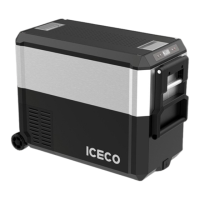

 To Next Page