2 | P a g e
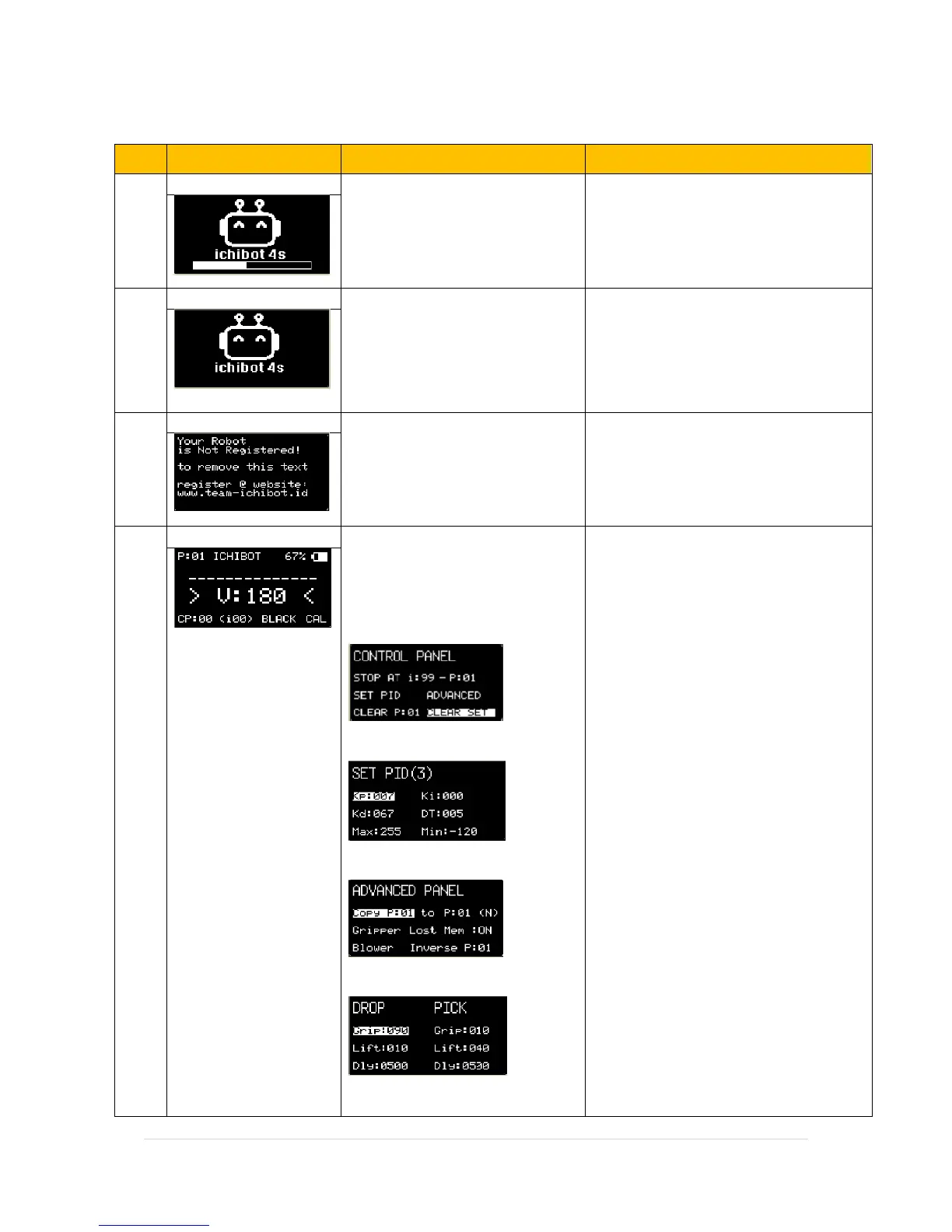
DISPLAY MENU IN LCD PANEL
The opening image display, Wait
until loading is complete.
Display Screen Saver to save
power, press any key to return to
the main menu, this view can be
replaced with another image via
Serial Menu
Robot notification if not already
registered, free registration follow
the instructions at the following
link: www.team-ichibot.id
Display the main menu, press the
navigation key to move the menu,
press the left button to set the
pointed value. Press enter key to
enter sub menu.
Menu: Control panel
Menu: Set PID
Menu: Advance Panel
Menu: Gripper
In main menu, just press START BUTTON
to running robot.
V : Robot Speed ( 0 – 255)
Press enter when cursor in V position to
enter Control Panel.
STOP AT i: stop the robot in the position
of the selected index and P: Number.
Clear P: return all setup in selected Plan
to default
Clear Set: return all setup in Control
Panel to default
Set PID (3): (3) is the memory number of
the pid settings (there are 1-5) that can
be set by themselves.
Kp: Proportional
Kd: Derivative
Ki: Integral
DT: Time Sampling
MAX: Maximum Speed
MIN: Minimum Speed
COPY: to copy the selected plan to
another plan. (N) copy as normal, (I)
inverse robot movement directions.
Lost Mem : Activate or Deactivate
Memory for last edge sensor detected
Inverse P: set custom inverse Plan Menu
Gripper : menu to set the DROP and PICK
positions


 To Next Page
 Loading...