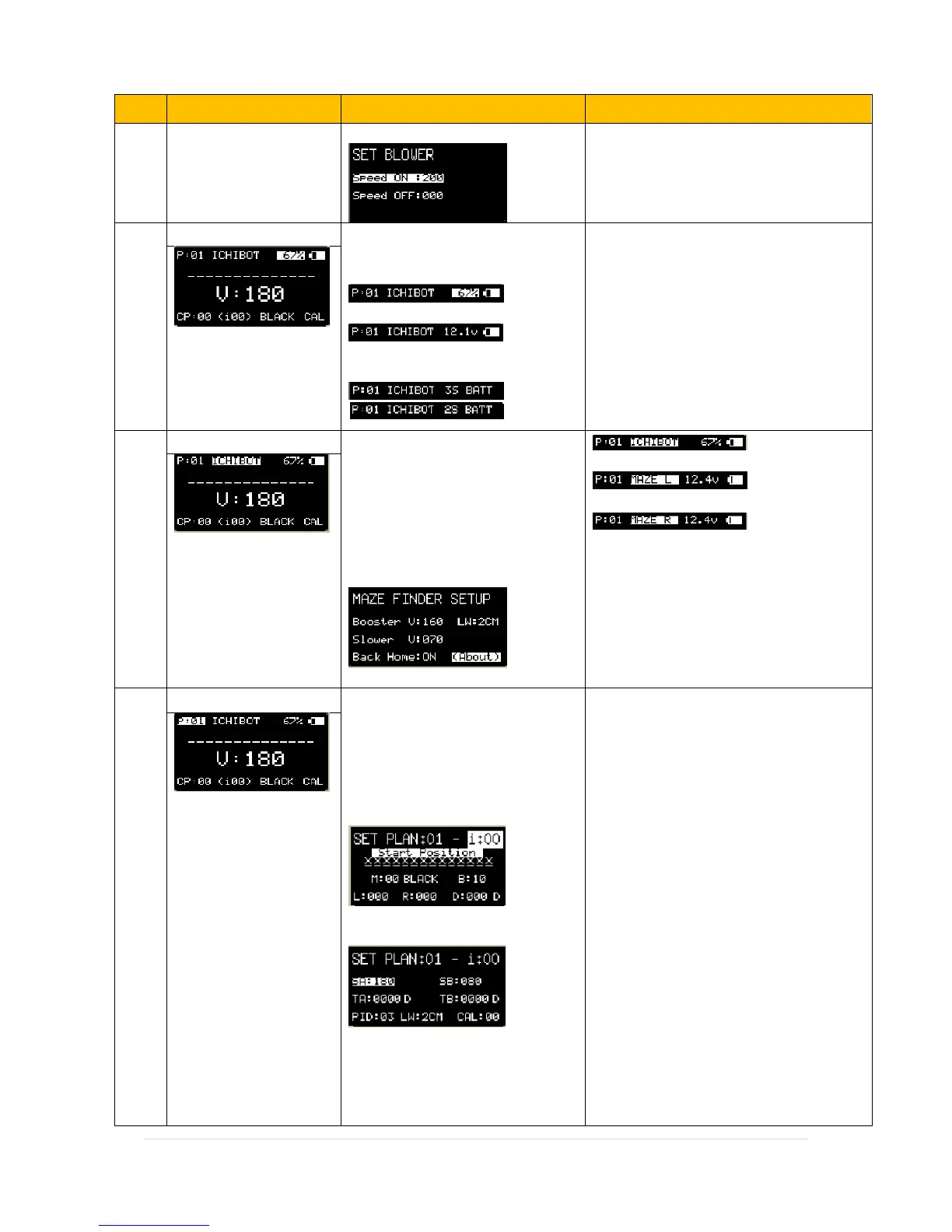
Blower : menu to set the Fan / Fire
Extinguisher Speed
If use Active LOW fan extinguisher mode,
inverse Speed Value
Battery indicator.
Button “UP-R” :
Mode Persentage
Mode Voltage
Button “DOWN-R” :
to Select cell Battery used.
Ichibot is default name of the
robot, you can replace it with
another name through the Serial
Menu. Press button OKL (MENU)
to see auto maze configuration.
Press button UPR/DOWN R to
change to MAZE R run mode or
MAZE L run mode
Run with data in P: (Number)
Run with Maze Left Rule
Run with Maze Right Rule
Booster: Booster Speed
Slower : Slower Speed after booster
LW: Line Width
Back Home : return to start position
after find finish block.
Plan Robot settings. menu to set
the direction of robot motion,
each plan contains 99 index
settings. Press the "MENU" button
to enter the other page views.
Menu: Set Plan Page 1
Menu: Set Plan Page 2
i: Index Number ( there is 0-99) each
index contains setting for:
Set Plan Page 1
M: Mode Sensor
BLACK / WHITE / LEFT / RIGHT /
FORWARD / PICK / DROP / BLOW /
UNBLOW/P01-I00 : robot action if it
detects lines according to sensor mode.
B: Brake delay before do Action
L: Speed Motor Left
R: Speed Motor Right
D: Duration of action, its can use D
(Delay) or E (Motor Encoder)
Set Plan Page 2
SA: Speed A, first speed change after the
action.
TA: Duration of SA, its can use D (Delay)
or E (Motor Encoder)


 To Next Page
 Loading...