EN
3
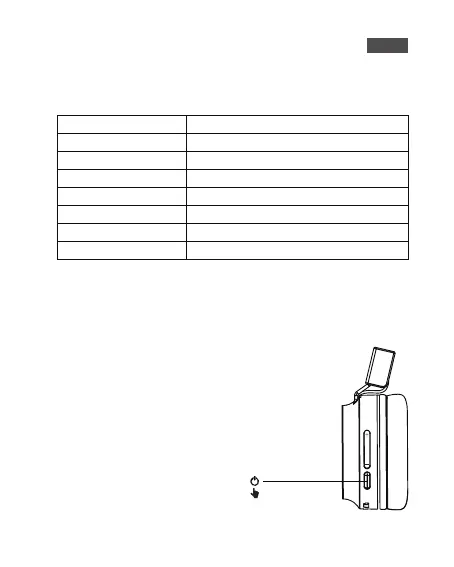
Note: The headphones will automatically
enter pairing mode when being switched
on for the first time.
2) LED Indicator Instruction
1) Turn On The Headphones
Headphones Status
Power on
Power off
BT Pairing
BT Connected
Low Battery
In charging process
Fully Charged
LED Indicator
Blue indicator flashes 4 times
Red indicator glows for 1s and goes off
The indicator flashes red and blue alternately
Blue indicator flashes once every 7 seconds
Red indicator flashes twice every 2 seconds
Red indicator lights up sturdily
The LED indicator light will turn blue
Bluetooth Connection



 To Next Page