DIGITAL CONTROL UNIT FOR THERMAL
SOLAR SYSTEMS - Art. S303
DIGITAL CONTROL UNIT FOR THERMAL
SOLAR SYSTEMS - Art. S303
ICMA S.p.a. - Heating Technologies - www.icmaspa.it FIS303ENCL - 01/2022
Icma SpA - Via Garavaglia, 4 - 20012 Cuggiono (MI) ITALY Tel: +39 02 97249134 - +39 02 97249135
www.icmaspa.it - sales@icmaspa.it
9
7
TDST24M100SE 035912 111220
Using installer parameters
Inserting the correct Password gives access to the installer
parameters change mode (‘ SET ’ icon lights). The rst
information displayed is the model of the control unit in use
and the parameter ‘ P1 ’ value.
By pressing the ‘ ‘ or ‘ ‘ keys it is possible to scroll
through the various parameters.
Pressing the ‘ ‘ key takes the user to the parameter
modifying mode selected.
To exit the installer mode press the ‘ esc ’ key or wait
20 seconds.
INSTALLER PARAMETERS
To access the installer parameters press the ‘ ‘ key.
Entering the Password
The display will show ‘PWD 0000’ with the leftmost digit
ashing thus requesting for the correct password.
In order to set the 4 password digits use the ‘ ‘ or ‘ ‘
key; by pressing the ‘ ‘ key, the current digit is conrmed
and the ashing is transferred to the following digit.
After conrming the last digit, the ‘ ‘ key will give access
to the installer parameters.
The initial password is factory set as ‘0000’.
Modifying the Password
In order to modify the stored password, rst press the ‘ ‘
key, then proceed as follows:
PRESS THE ‘ MENU ’ KEY.
THE DISPLAY SHOWS
‘ PWDH0000 ’.
Pressing the ‘ esc ’ key at any time will exit the password
management mode.
INSERT NEW PASSWORD.
THE CONTROL UNIT WILL MEMORIZE THE NEW
PASSWORD AND GIVE ACCESS TO THE INSTALLER
PARAMETERS.
ENTER THE CURRENT PASSWORD.
(same procedure described above)
THE DISPLAY SHOWS
‘ PWDN0000 ’.
THE DISPLAY SHOWS
‘ PWDC0000 ‘.
INSERT THE NEW PASSWORD.
PRESS THE ‘ ‘ KEY ON THE START PAGE.
THE DISPLAY SHOWS ‘ PWD 0000 ‘.
INSERT THE CURRENT PASSWORD.
THE DISPLAY SHOWS THE FIRST
‘ INSTALLER PARAMETER ’.
USING THE ARROWS ‘ ‘ OR ‘ ‘ IT IS POSSIBLE
TO CYCLICALLY SCROLL THROUGH THE INSTALLATION
PARAMETERS:
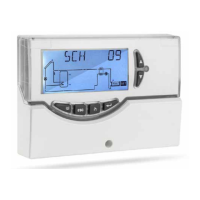
P1: SELECTION INSTALLATION TYPE ‘ SCH ’
P2: SETTING THERMAL DATA ‘ DATA ’
P3: ANTIFROST PARAMETERS MANAGEMENT ‘ O AF ’
P4: ACOUSTIC SIGNAL MANAGEMENT ‘ BEEP ’
P5: LOGIC RELAY SELECTION ‘ ACT ’
P6: INTEGRATION HOURS COUNTER ‘ C AH ’
P7: LIMITATION OF COLLECTOR MINIMUM TEMP. ‘ MTL ‘
P8: PWM and 0..10V OUTPUTS SETTINGS ‘ ERP ‘
P9: COLLECTOR RESET TEMPERATURE ‘ SAFE ‘
P10: VACUUM TUBES ‘ VTC ‘
P11: ANTI-LEGIONELLA ‘ LEG ‘
CONFIGURE DATA FOR EVERY SINGLE PARAMETER AS
EXPLAINED BELOW.
PRESS THE ‘ ‘ KEY TO MODIFY THE
SELECTED PARAMETER.


 To Next Page
 Loading...