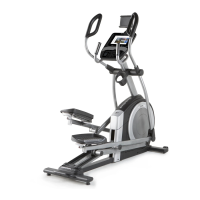
To Next PageTo Next Page
 Need help?
Do you have a question about the ICON Health & Fitness NordicTrack Commercial 12.9 and is the answer not in the manual?
 General
| Brand | ICON Health & Fitness |
|---|---|
| Model | NordicTrack Commercial 12.9 |
| Category | Elliptical Trainer |
| Language | English |
Important safety information provided on warning decals on the equipment.
Essential precautions for safe operation, maintenance, and user conduct.
Overview of the elliptical's parts and specifications for user understanding.
Visual guide to identify small parts and hardware required for assembly.
Guidance on preparing parts, tools, and attaching the rear stabilizer.
Instructions for safely connecting the power cord and grounding the equipment.
Procedures for safely moving the equipment and ensuring stability on the floor.
Guide on how to adjust the pedal positions for user comfort and preference.
Information about the optional tablet holder and its purpose.
Description of the console's advanced features, iFit connectivity, and onboard workouts.
How to use the console in manual mode for resistance and incline control.
Steps to properly turn on the elliptical console and initial calibration.
Instructions on how to navigate and use the console's touch screen interface.
Steps to connect the console to a wireless network for iFit and updates.
Guide for customizing settings, logging into iFit, and calibrating the incline system.
Instructions for starting manual workouts, adjusting resistance/incline, and tracking progress.
How to use a compatible heart rate monitor with the console.
Information on operating the built-in fan and its speed settings.
Proper procedure for unplugging the power cord after use.
Guide to choosing and starting pre-programmed or featured workouts.
Understanding workout displays, target speeds, and iFit coach interaction.
Steps for designing a personal workout route on the console's map feature.
Requirements and steps to log into iFit and connect the console to the service.
Guide to choosing, scheduling, and marking iFit workouts as favorites.
Instructions for accessing and navigating the console's settings menus.
Process for checking and installing firmware updates for the console.
Procedure to calibrate the incline system for accurate ramp movement.
Steps to enable Wi-Fi and connect the console to a wireless network.
Guide for connecting devices via audio cable or Bluetooth for sound output.
Instructions for connecting headphones to the console via wired or Bluetooth.
Guidelines for regular inspection, tightening parts, and cleaning the elliptical.
Solutions for common console issues like power and connectivity problems.
How to address issues with the ramp not moving to the correct incline level.
Steps to adjust the reed switch for correct console feedback.
Procedure for adjusting the drive belt if pedals slip during use.
How to determine proper exercise intensity using heart rate zones.
Recommendations for warming up, training zones, cooling down, and exercise frequency.
A comprehensive list of parts with their corresponding key numbers and descriptions.
Diagram showing the assembly of console-related parts.
Diagram illustrating the assembly of frame and core drive parts.
Instructions and required information for ordering replacement parts.
Guidelines for environmentally responsible disposal and recycling of the product.