10
SET UP PAY PERIOD & ADD EMPLOYEES
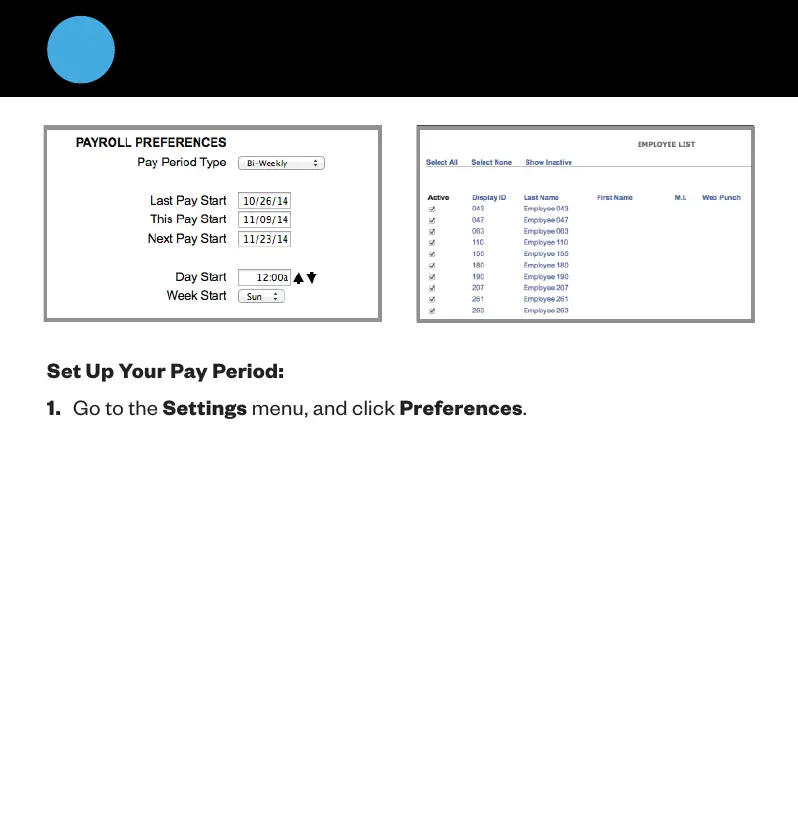
Set Up Your Pay Period:
1. Go to the Settings menu, and click Preferences.
2. Under the Pay tab, select the applicable Pay Period type. Complete the
rest of the settings accordingly.
Add Employees:
The Employee List is used for maintaining employees in the time clock
including, adding, editing and terminating employees.
Each employee is assigned a default 4-digit PIN.
1. To access the Employee List, go to Lists, then click Employees.
2. Assign Employees a Personal Identification Number (PIN)


 To Next Page