Skip to content
Manuals+
User Manuals Simplified.
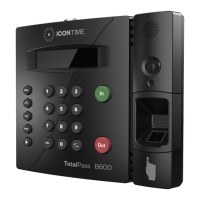
ICON TIME TotalPass P400 User Guide
Home » ICON TIME » ICON TIME TotalPass P400 User Guide
Contents [ hide
1 TotalPass® P400 User Guide
2 1. UNPACK THE BOX
3 2. REGISTER YOUR PRODUCT
4 3. MOUNT YOUR TIME CLOCK TO THE WALL
4.1 4. SET THE DATE AND TIME
5 5. CHOOSE YOUR CONNECTION OPTION
6 6. CONNECT USING WI-FI
7 7. CONNECT USING ETHERNET
7.1 System Requirements
8 8. CONNECT TO YOUR PC USING USB
8.1 System Requirements:
9 9. LOG INTO YOUR TIME CLOCK
10 10. SET UP PAY PERIOD & ADD
EMPLOYEES
10.1 Set Up Your Pay Period:
10.2 Add Employees:
11 11. SUPPORT INFORMATION
11.1 File Downloads
11.2 References
11.3 Related Manuals
TotalPass® P400
User Guide

 Need help?
 General

 To Next Page